

Cash Flow
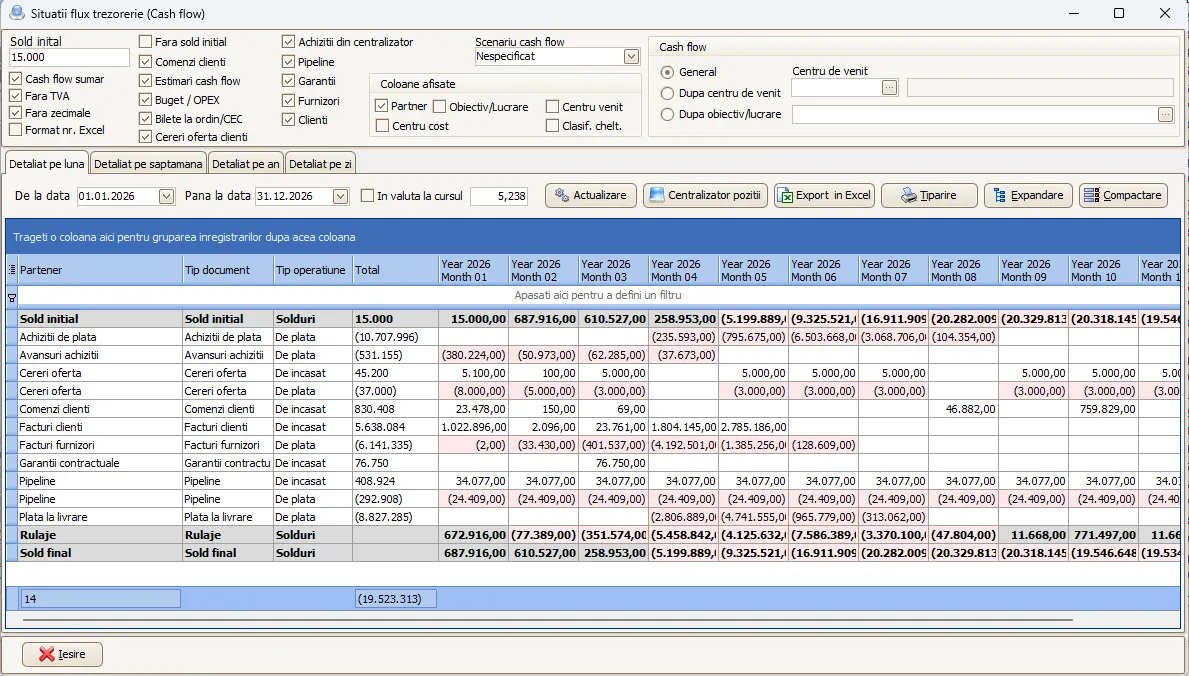
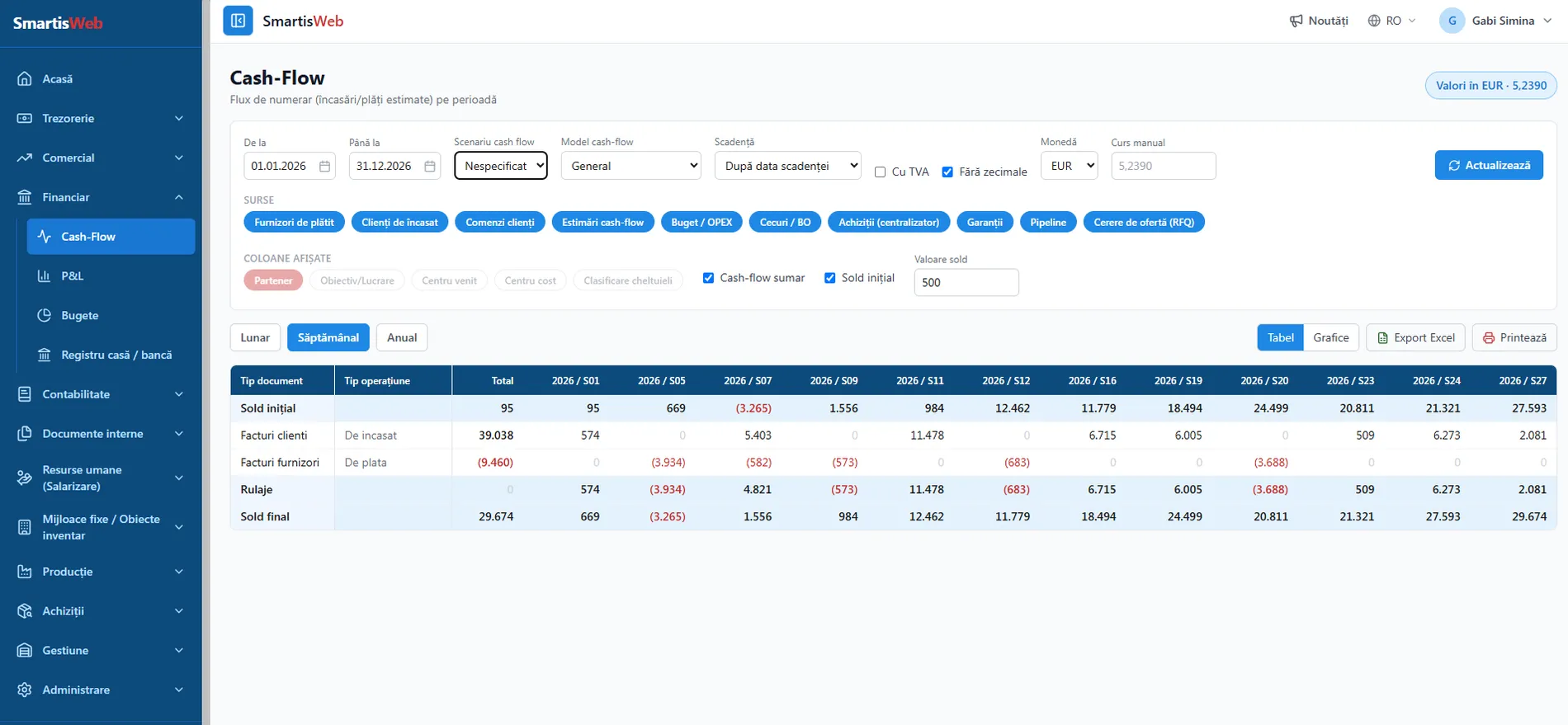
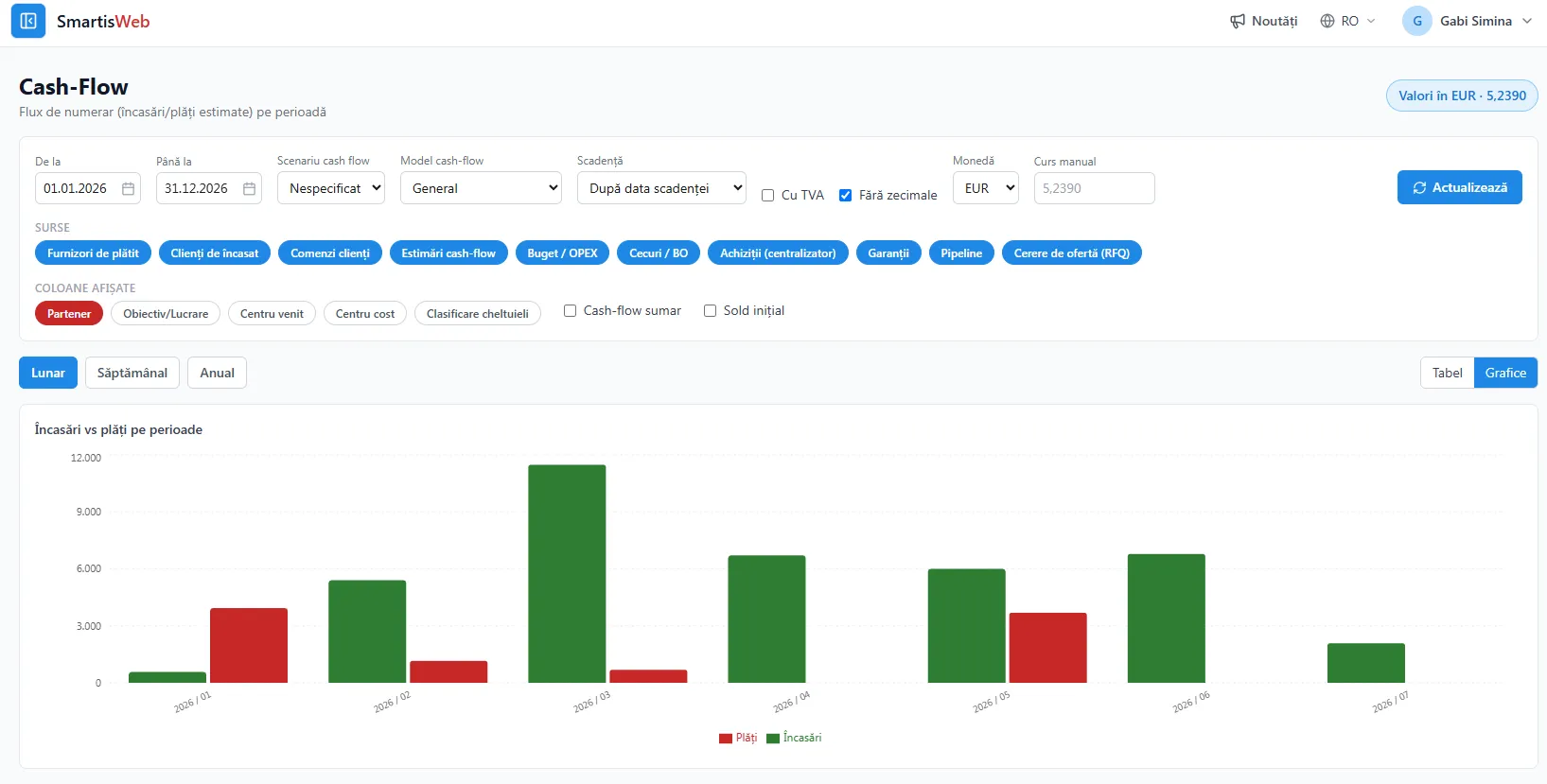
The Cash Flow module gives a clear, up-to-date picture of cash movements over the short, medium and long term. It automatically pulls data from every operational and financial module and centralizes it into a single projection, with weekly, monthly or yearly views and charts (receipts vs. payments, cumulative balance). By covering every possible source of inflows and outflows, Cash Flow becomes an essential tool for management decisions.
What you can do
Section titled “What you can do”- A single projection from multiple sources — all scheduled or estimated inflows (cash-in) and outflows (cash-out), centralized automatically.
- Summary and detailed views — from the big picture down to the individual document.
- Drill-down to the source — for each amount in a column and row you can see the data source it comes from.
- Views by horizon — weekly, monthly or yearly, with charts (receipts vs. payments and cumulative balance evolution).
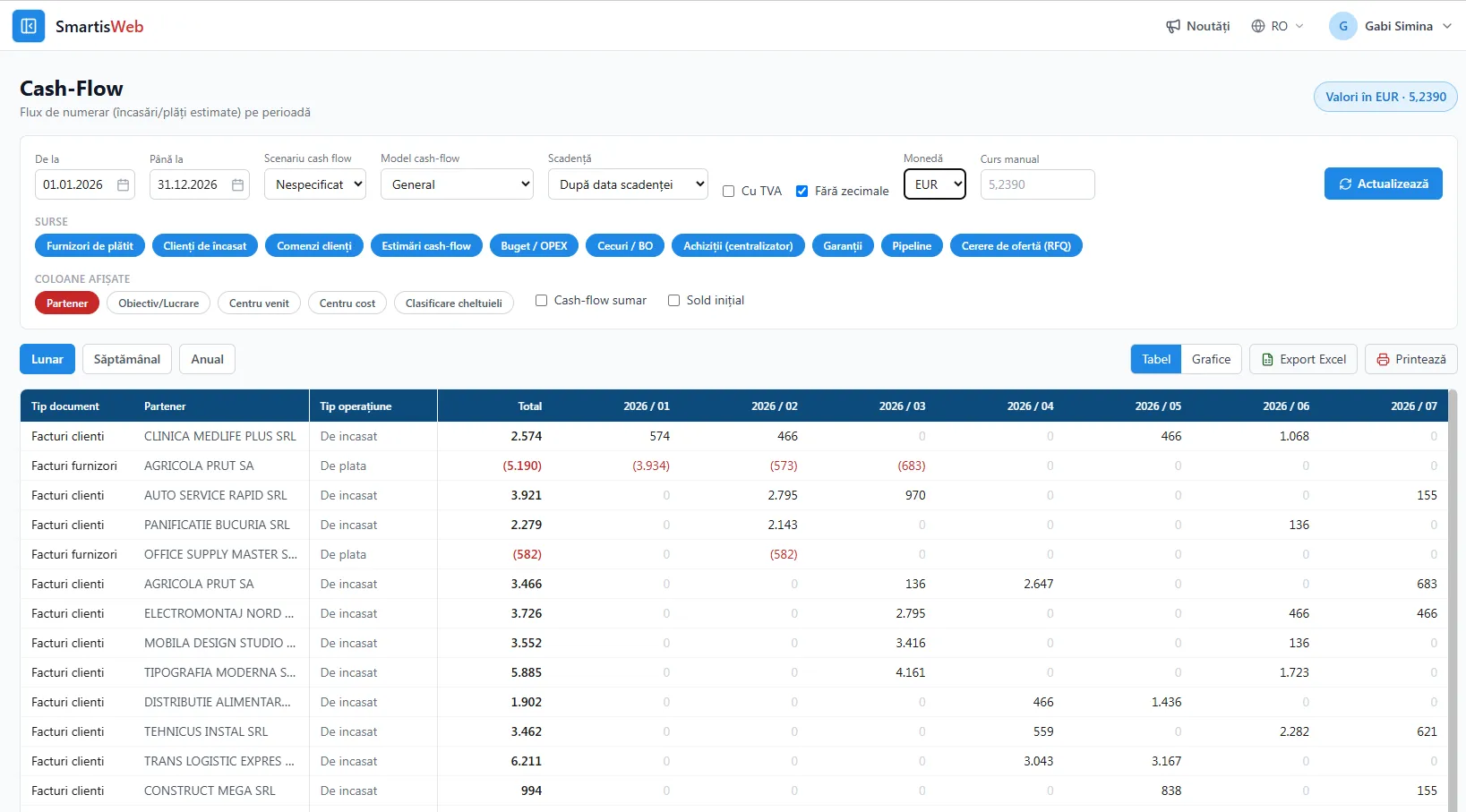
- Available in SmartisWeb too — the web version has the same functionality and pulls data from the same sources.
Data sources
Section titled “Data sources”Cash Flow is fed automatically from the following sources, each with its own time-placement logic:
- Payables and Receivables — based on the due date or on a scheduled date for payment or collection.
- Promissory notes to collect or pay — based on the due date.
- Pipeline — based on the estimated probable dates of cash inflows and outflows (cash-in / cash-out).
- Requests for quotation (RFQ) — based on the estimated probable dates of cash inflows and outflows.
- Customer orders — based on the delivery date plus the negotiated collection term and on the planned and negotiated advances with the customer.
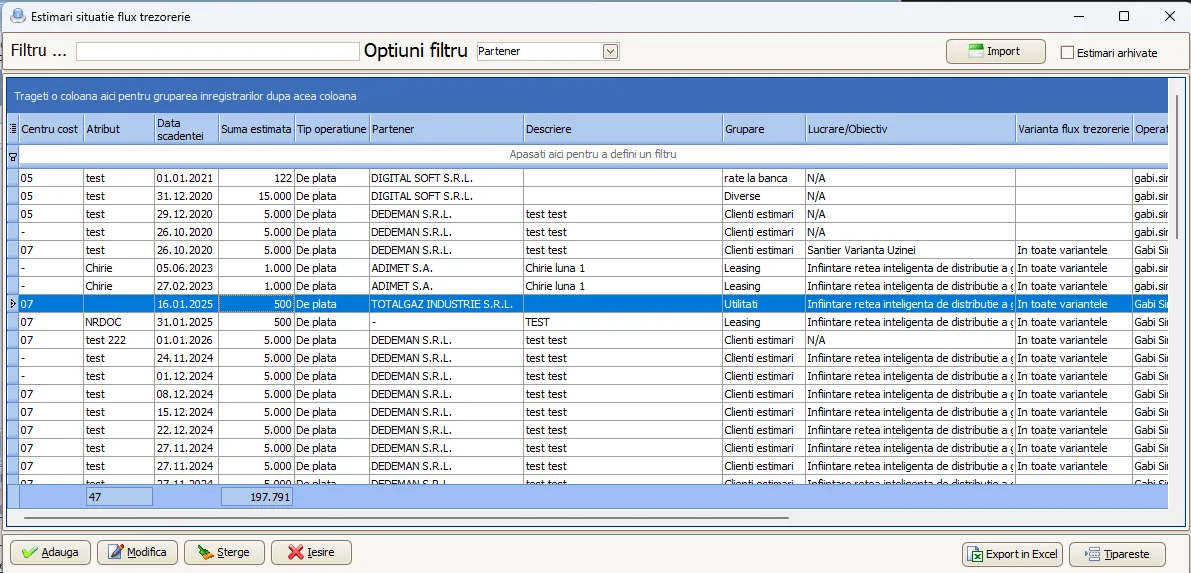
- Treasury flow estimates — based on data entered directly in this module.
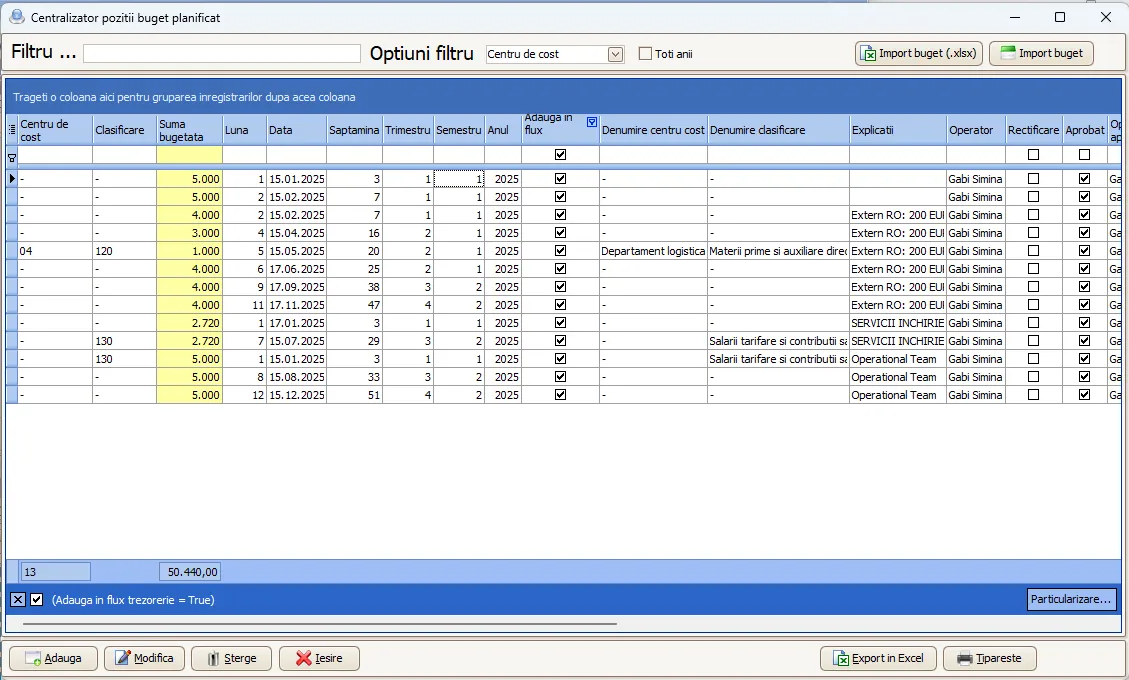
- Planned budget (OPEX) — based on entered and approved data (e.g. payroll, utilities, etc.).
- Performance guarantees — based on the due date, i.e. when the performance guarantee ends and the customer returns that amount.
- Purchasing centralizer — based on delivery terms, advances requested by the supplier or payment on delivery, for the purchasing lines that have been approved.
This way, Cash Flow covers every possible case of cash inflow and outflow, from firm documents (due dates) to probable estimates (pipeline, RFQ).
Two of the sources are entered/approved in their own modules and then flow automatically into the projection:
Summary and detailed
Section titled “Summary and detailed”- Summary — balances and totals by period (week / month / year), with the receipts vs. payments and cumulative-balance charts.
- Detailed — every row and column expanded down to the source document, with the ability to see which source each amount comes from.
- Forecast vs. actual analysis — differences between estimated and actual flows, by source/destination, cost center or project.
- Scenario simulation — adjust planned values to support strategic decisions.
Benefits
Section titled “Benefits”- Full visibility over current and future cash.
- Automated data collection from all financial and operational processes.
- Traceability: every amount in the projection shows its source.
- Real support for management decisions, by covering all cash-in and cash-out sources.
See the video tutorials or contact us for help.