

Budgets
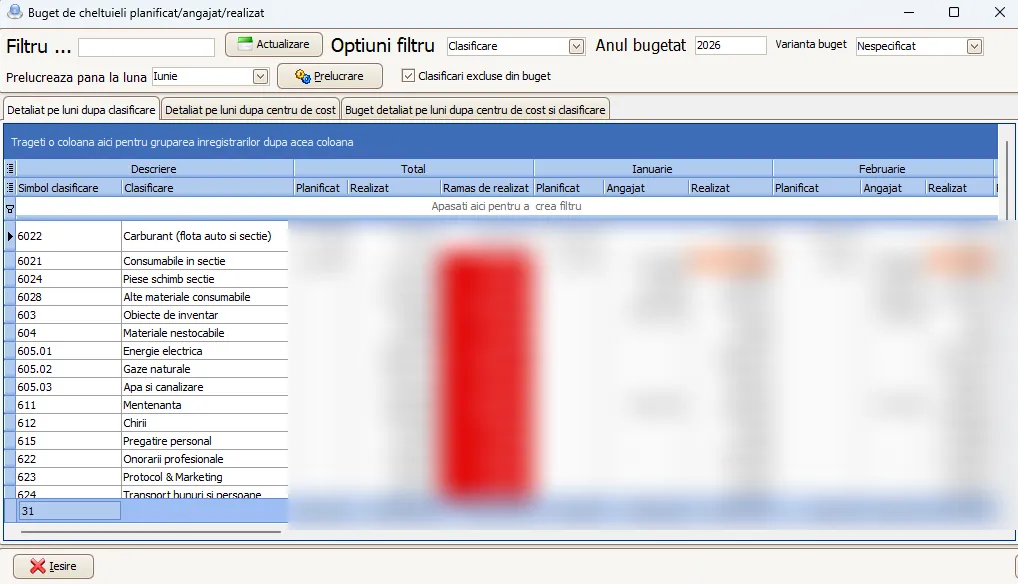
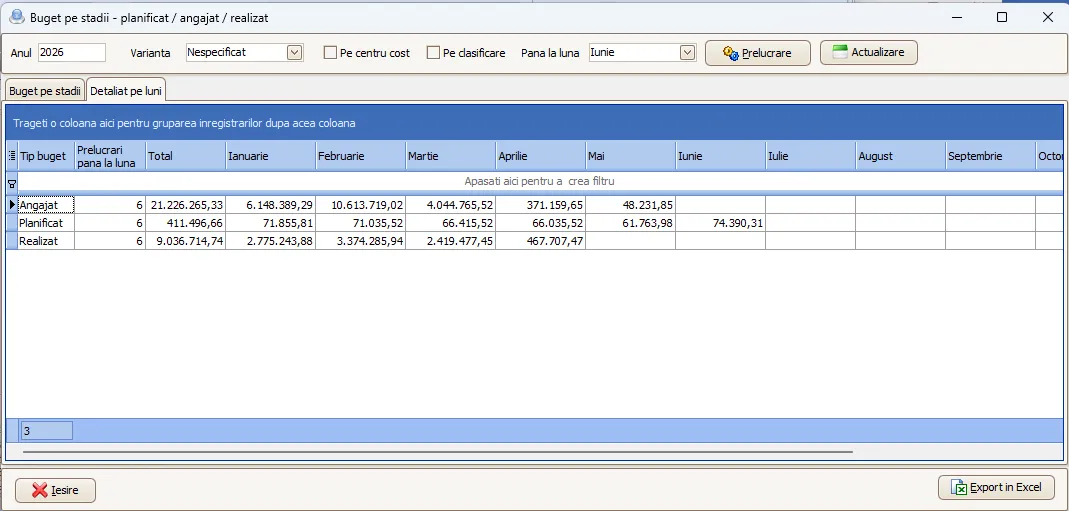
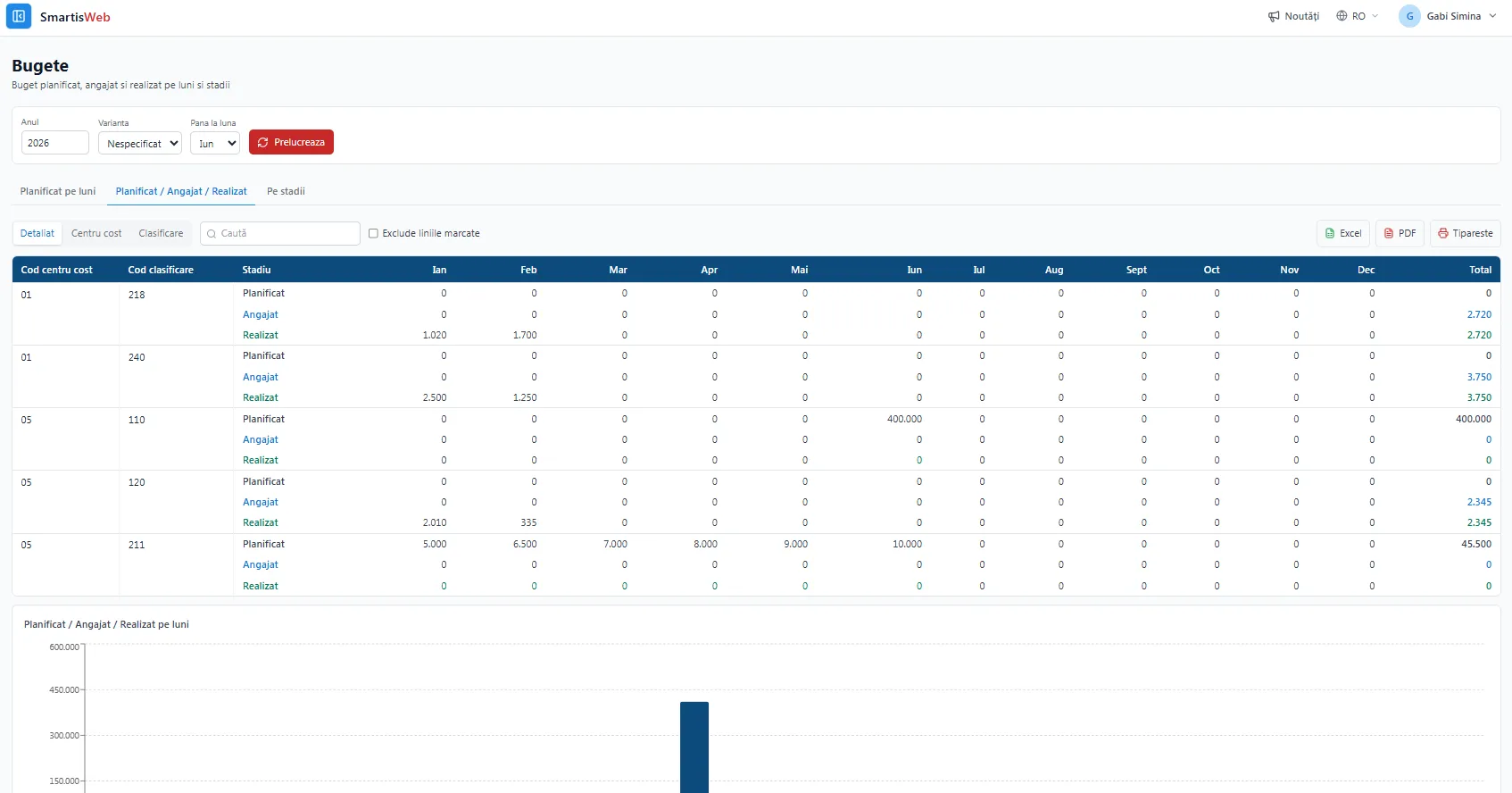
The Budgets module covers the entire budget lifecycle — from planning, to commitment (from approved purchasing), to realization (actual spend from accounting). It compares the three stages in real time by cost center, expense classification and period, showing management whether they are staying within the planned budget.
The three budget stages
Section titled “The three budget stages”Over time, every amount goes through three stages. The data source differs for each stage:
Planned budget
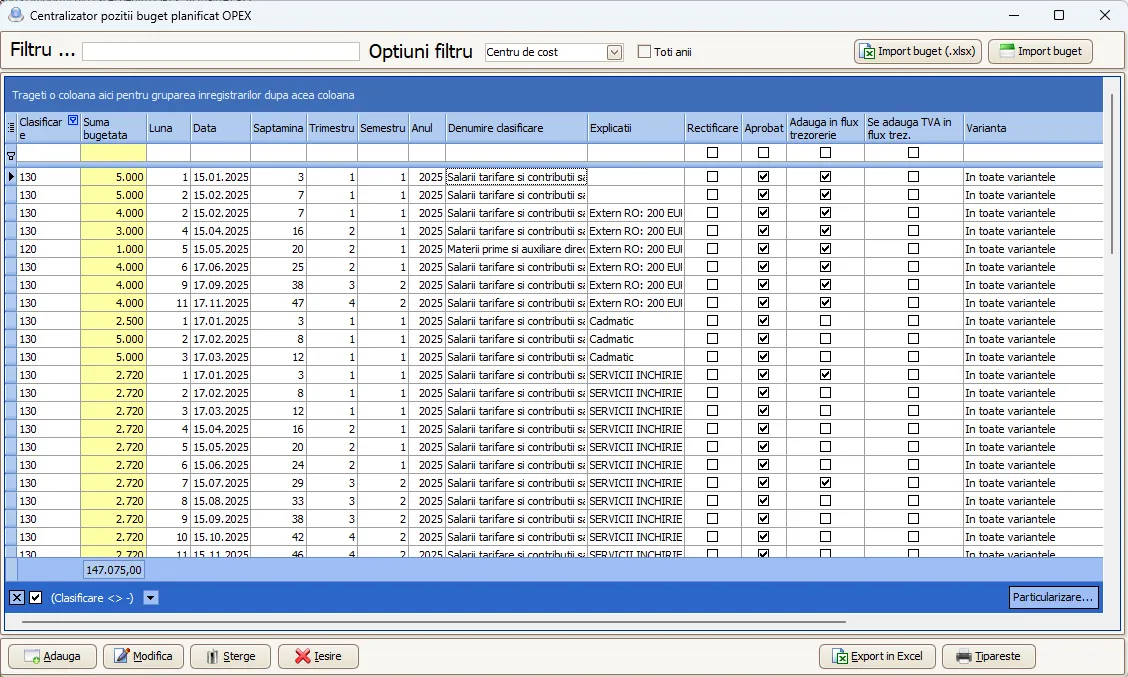
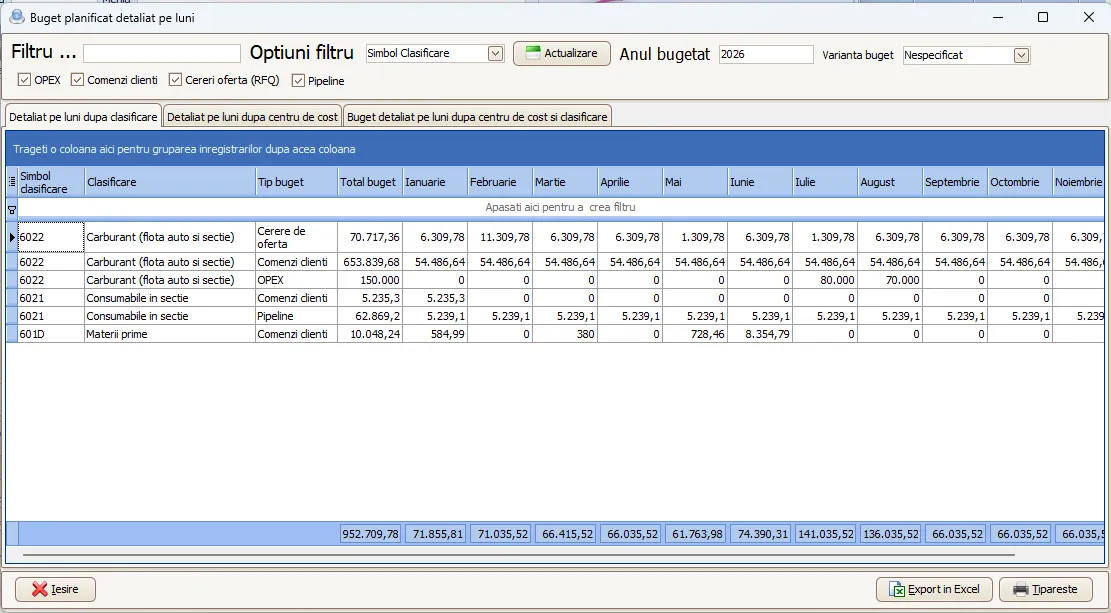
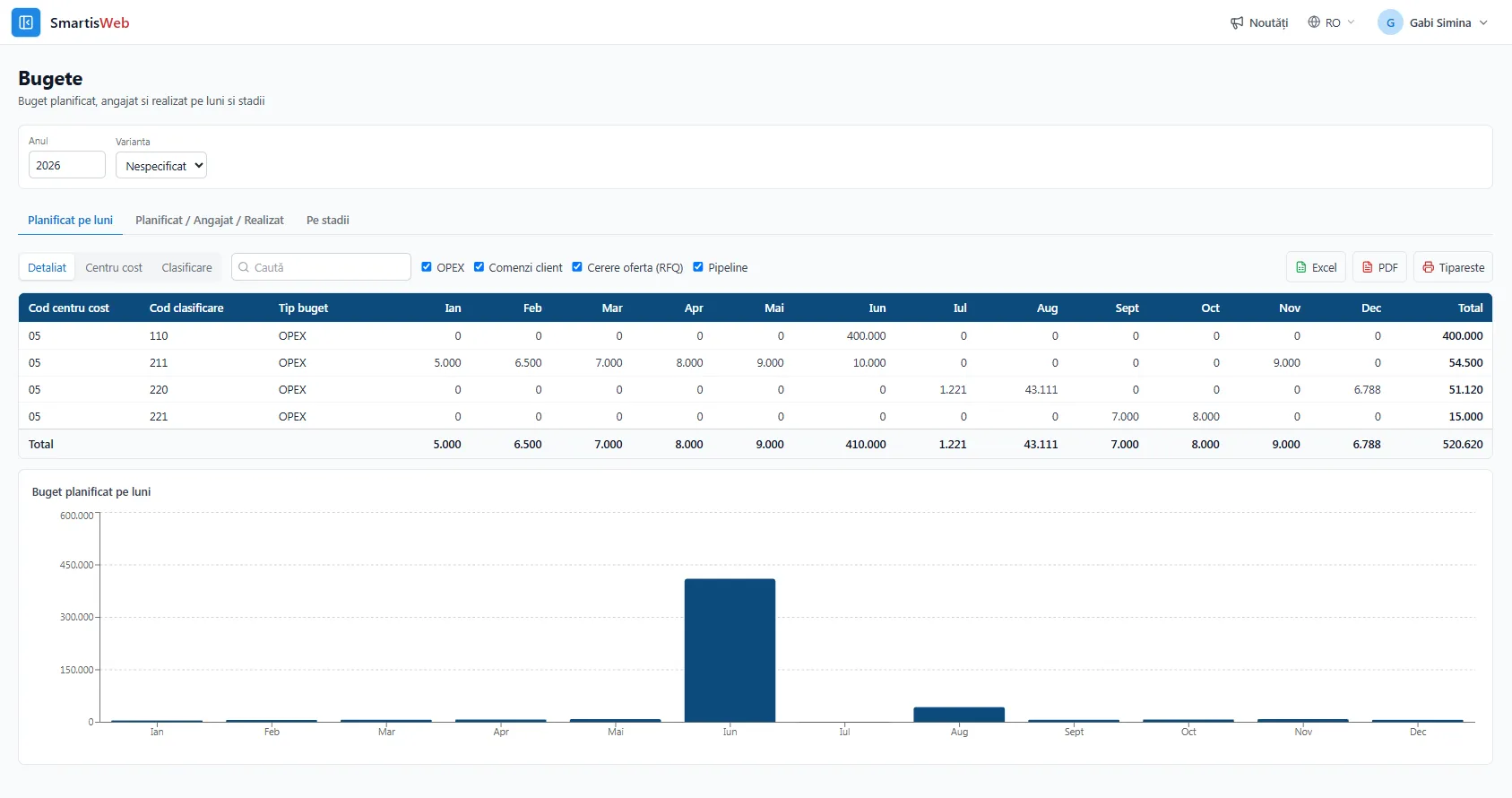
Section titled “Planned budget”The planned budget is built from several sources, all with an expense classification, a cost center and a breakdown by month / week / year:
- OPEX budget — planned overheads (payroll, utilities, rent, etc.), by month/week/year, classification and cost center. Lines can also be imported from Excel (.xlsx).
- Customer orders — the direct cost budget set per order.
- Pipeline — the direct cost budget for pipeline opportunities, by month/week/year, with classification and cost center.
- Request for quotation (RFQ) — same as pipeline, the estimated direct cost budget.
Committed budget
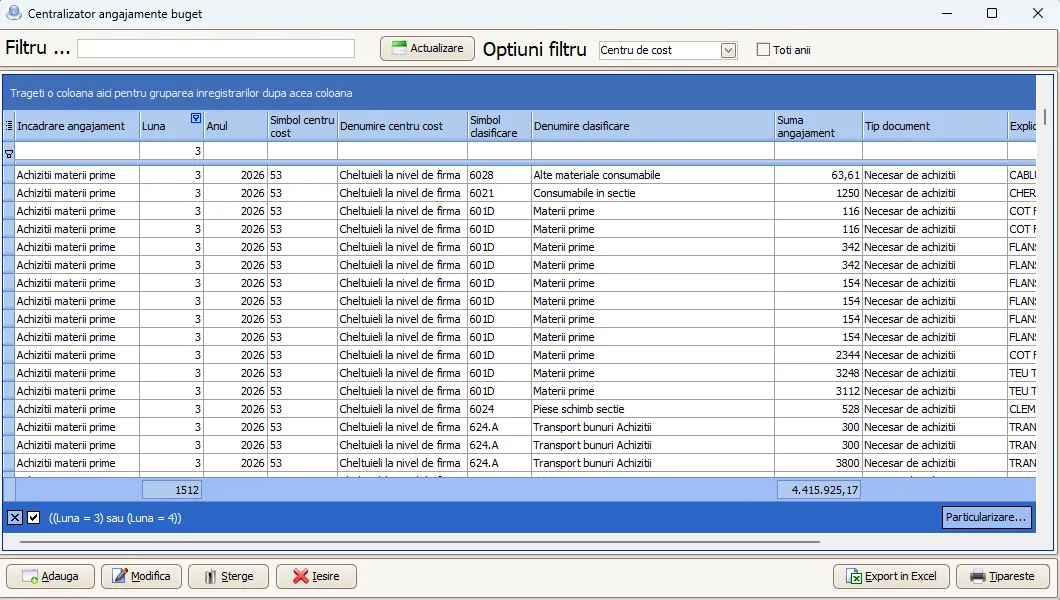
Section titled “Committed budget”From Purchasing, after approval, the line enters the committed budget — an approved but not-yet-consumed amount. If it is given a classification and a cost center, and is placed at the date derived from its delivery term, the commitment appears exactly in the period in which it will become a cost.
Realized budget
Section titled “Realized budget”The realized budget is pulled from the production accounting journal, which the P&L is built on, and which in turn is compared / consolidated with the trial balance on expenses. So the realized budget is exactly what was spent in the trial balance.
Of course, only budgetable expenses appear in the budget. For example depreciation or FX differences have nothing to do with the budget. This means not all P&L and trial-balance expenses show up in the realized budget — only the budget-relevant ones.
Remaining budget — why “maximum”, not the sum
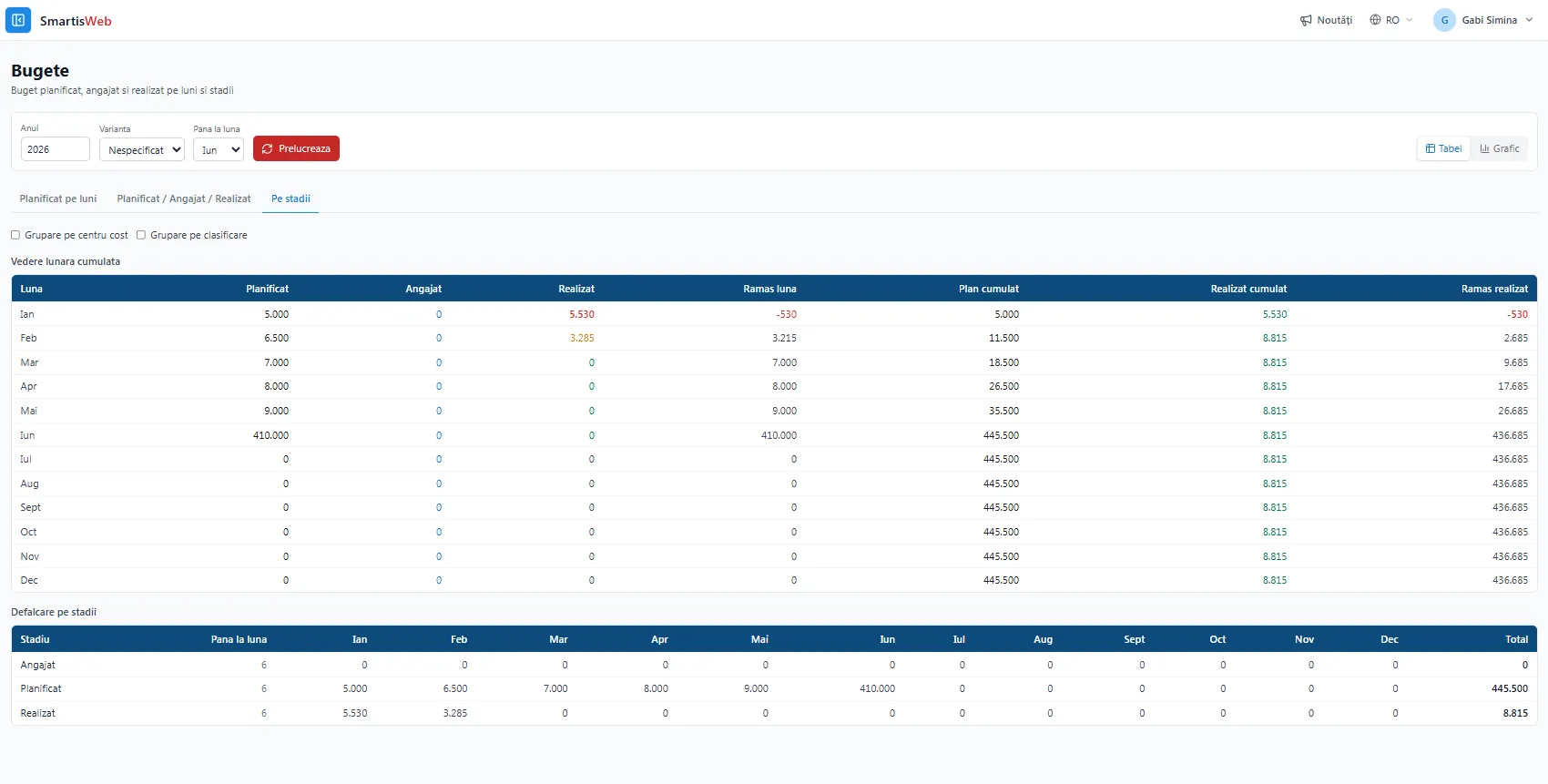
Section titled “Remaining budget — why “maximum”, not the sum”Remaining budget = Planned − max(Committed, Realized).
You take the maximum of committed and realized, not their sum — because it is the same amount moving from one stage to the next: what was committed (at purchase approval) gradually becomes realized (as it is consumed/invoiced). Adding them would double-count the spend.
The same 1000 RON appears once on each axis — they are not added together. “Committed” is gradually consumed as “Realized”; that is why the remaining budget uses max(Committed, Realized), computed per cost center / classification / period.
Reports and views
Section titled “Reports and views”- Planned vs. Committed vs. Realized — by cost center, classification and period.
- Budget compliance — reports that show management whether they are within the planned budget or over it.
- Variance — plan ↔ actual differences, by source/destination.
- Remaining budget — the available amount, computed as Planned − max(Committed, Realized).
- Budget versions — to analyze how plans evolve.
Benefits
Section titled “Benefits”- A single budget tracked across the whole lifecycle: planned → committed → realized → remaining.
- Realized that is correct “by construction”, reconciled with the trial balance (no double entry).
- Real visibility for management: where it is over budget and how much is left.
- Cash Flow link — approved OPEX also feeds the Cash Flow projection.
See the video tutorials or contact us for help.