

Production
The Production module manages the launch, planning and real-time tracking of manufacturing — product structures (BOM), consumption norms, routings, production orders, consumption, labor and costs. It is natively integrated with Sales, Purchasing, Inventory, Accounting, Post-costing and Production accounting, so a single operation is reflected automatically across all dependent modules.
The key strength: the operational side is independent of accounting (a shop-floor user works without being an accountant), yet with no double data entry — the accounting entries are generated on the very same documents, at a single checkbox.
What you can do
Section titled “What you can do”- Tree-structured BOMs, with unlimited levels — complex products with sub-assemblies, components and materials at any hierarchy level. Each node holds the consumption norm (per unit and per parent), the technological number, the times (execution and setup) and flags (raw material, stockable). BOMs can be cloned and reused, and are used both to launch production and for pre-costing.
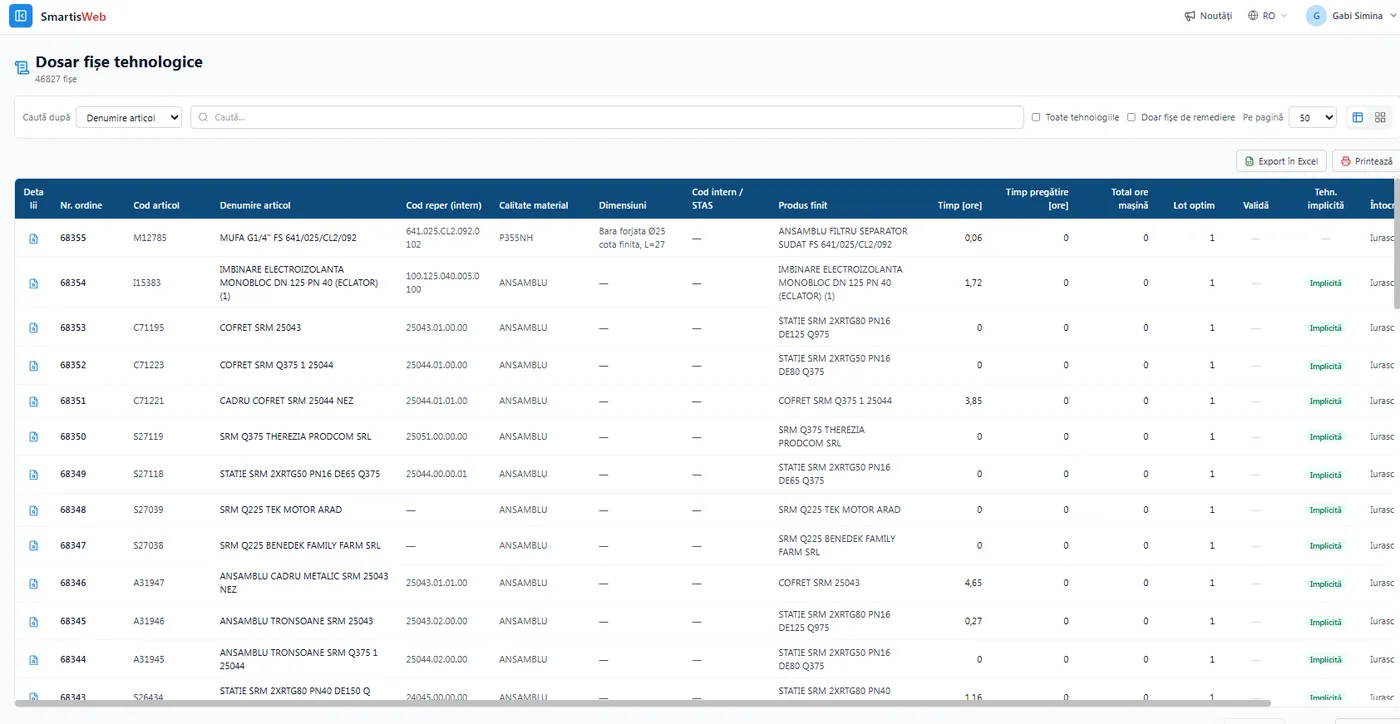
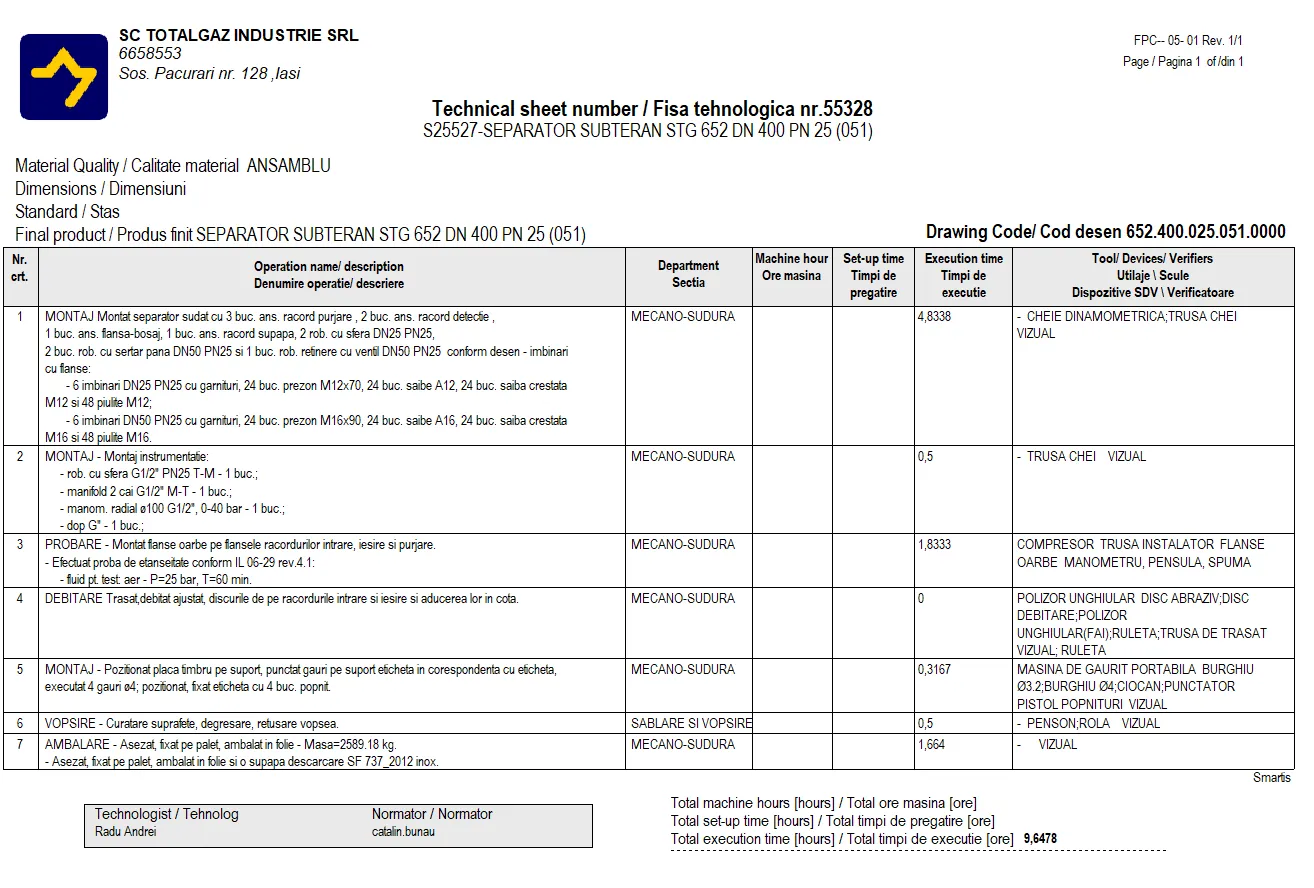
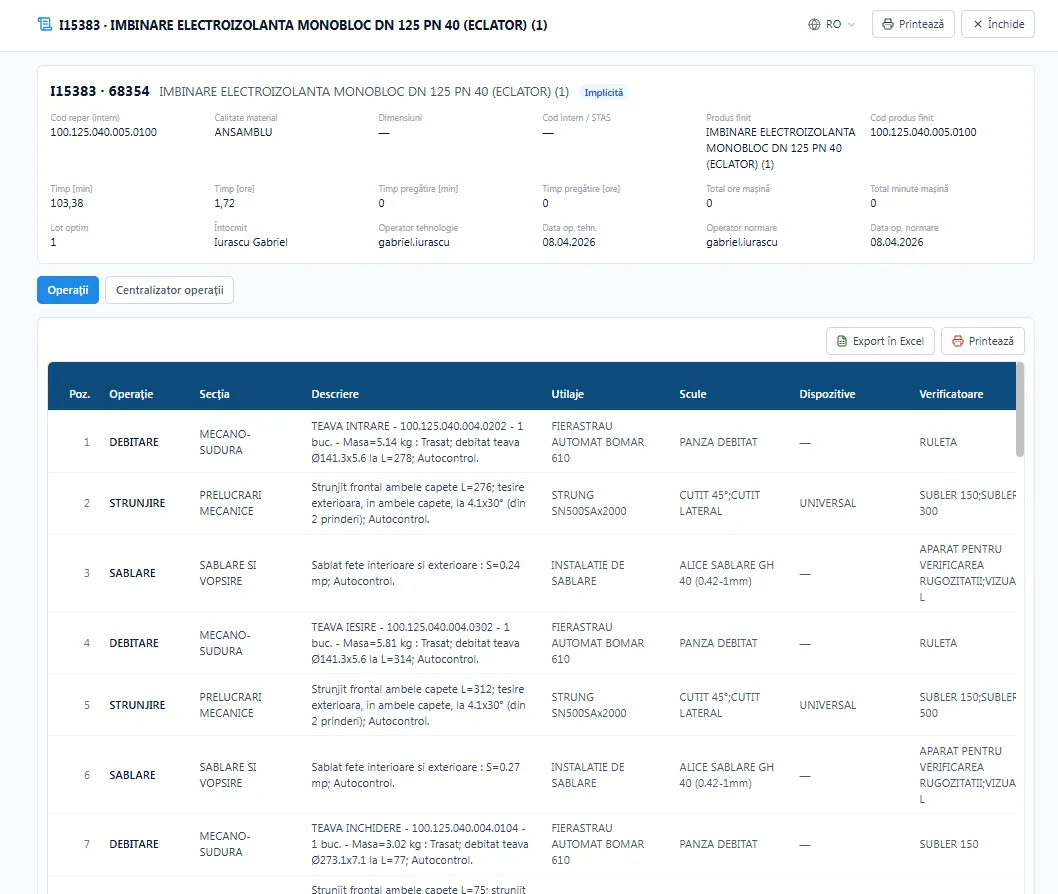
- Routings — the sequence of operations, with the resources involved (machines, staff, materials), the standard execution time, consumption norms and special working conditions.
- Launch production orders — from a BOM, standalone, directly from customer orders (one click from Sales), or manually. You manage both sub-assemblies and products for sale.
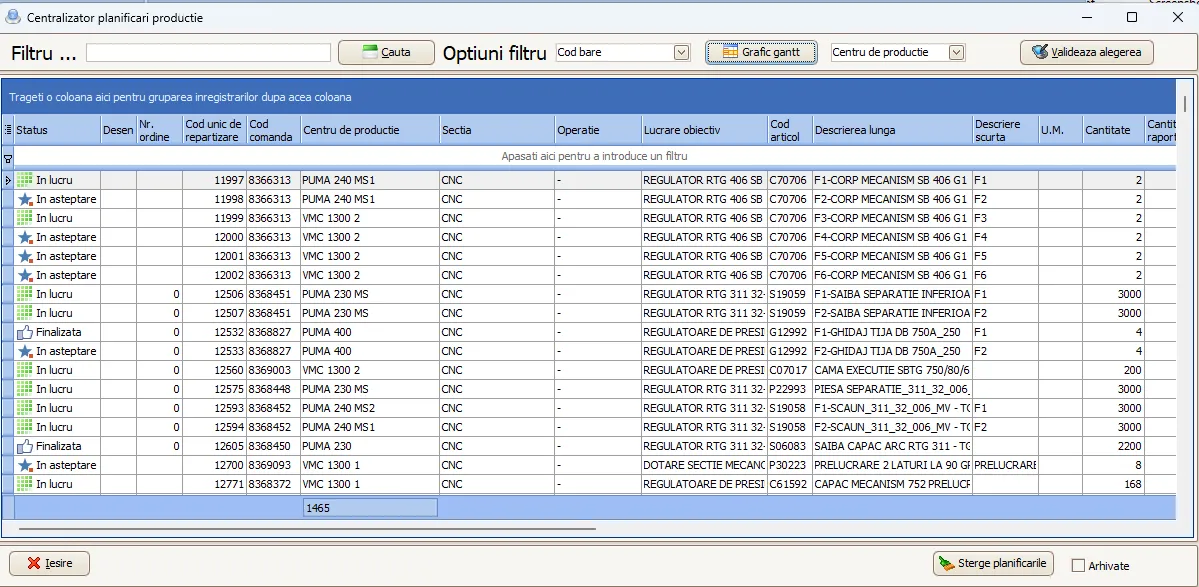
- Planning on machines and production centers — which order runs next on each center/machine, by capacity, resources and deadlines.
- Start/Stop production — real-time time tracking: hours done, who worked on each stage and the exact status of every order at end of day.
- Consumption per order — generated automatically from the BOM and norms, with stock reservation, consumption notes and a standard vs. actual comparison.
- Handover/production notes — finished products and sub-assemblies enter inventory, to be sold or consumed.
- Real-time direct costs — materials and labor (from timesheets/import) in the order file.
- Pre-costing / Post-costing, production accounting (class 9) with work in progress (WIP) and price differences.
- Works and objectives as distinct projects, with aggregated costs, integrated with Purchasing, Sales and Inventory.
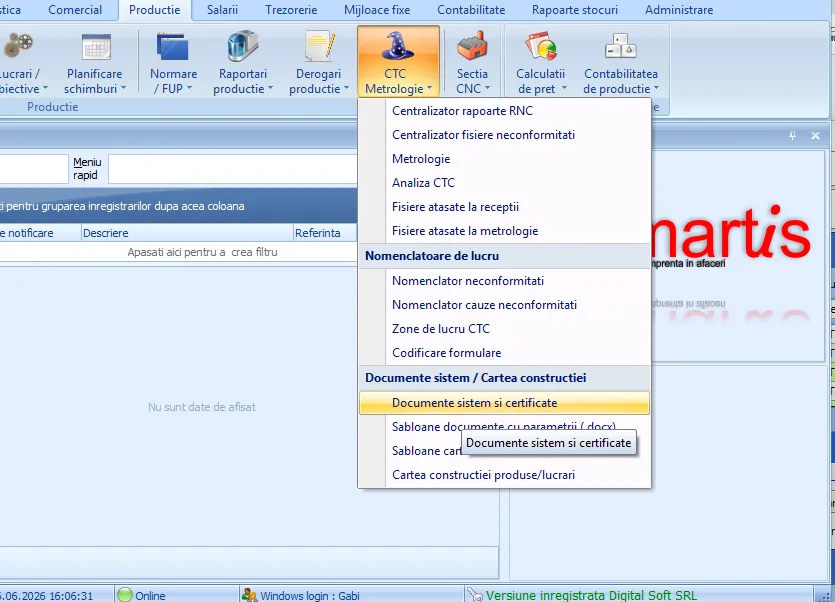
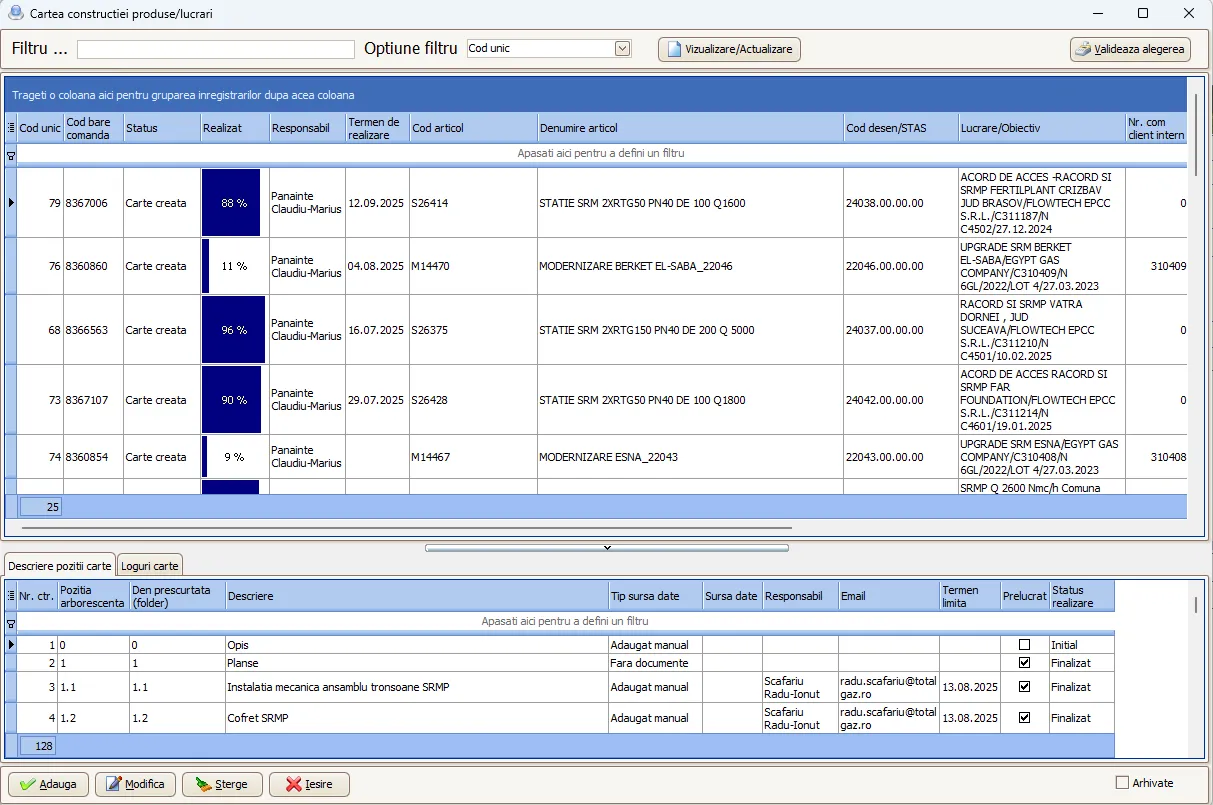
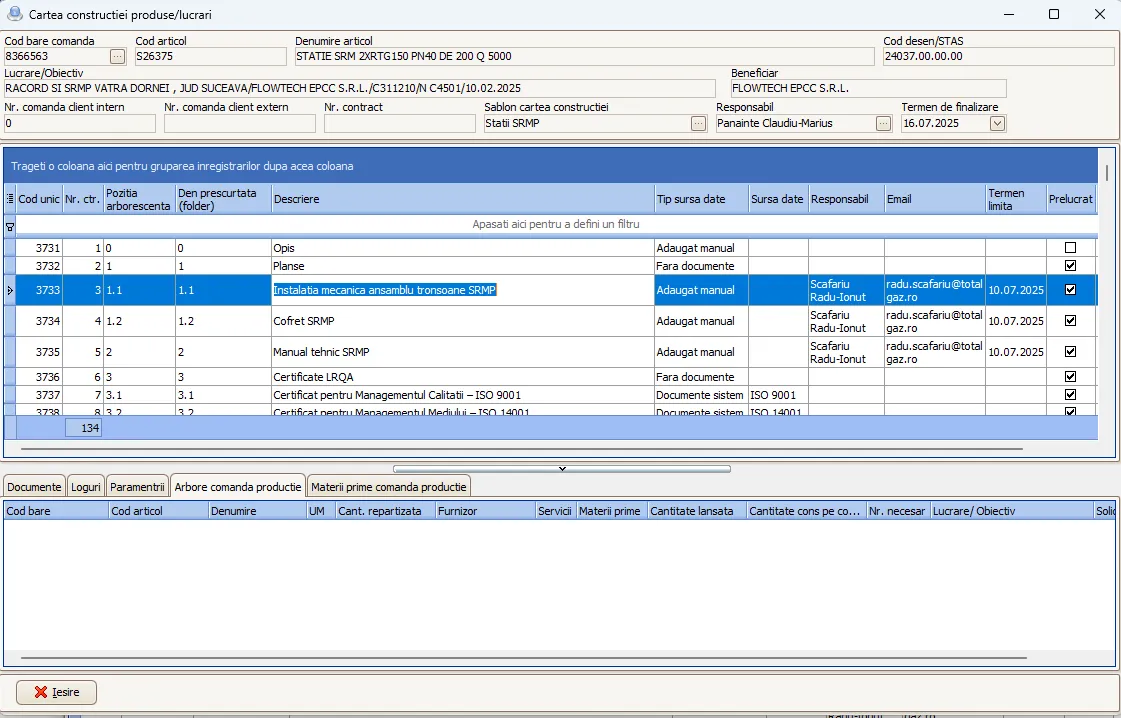
- Build book (QC) — for large works/objectives, the quality dossier with certificates, test reports and the traceability of materials (lots/heats) and operations.
Product structures (BOM) and consumption norms
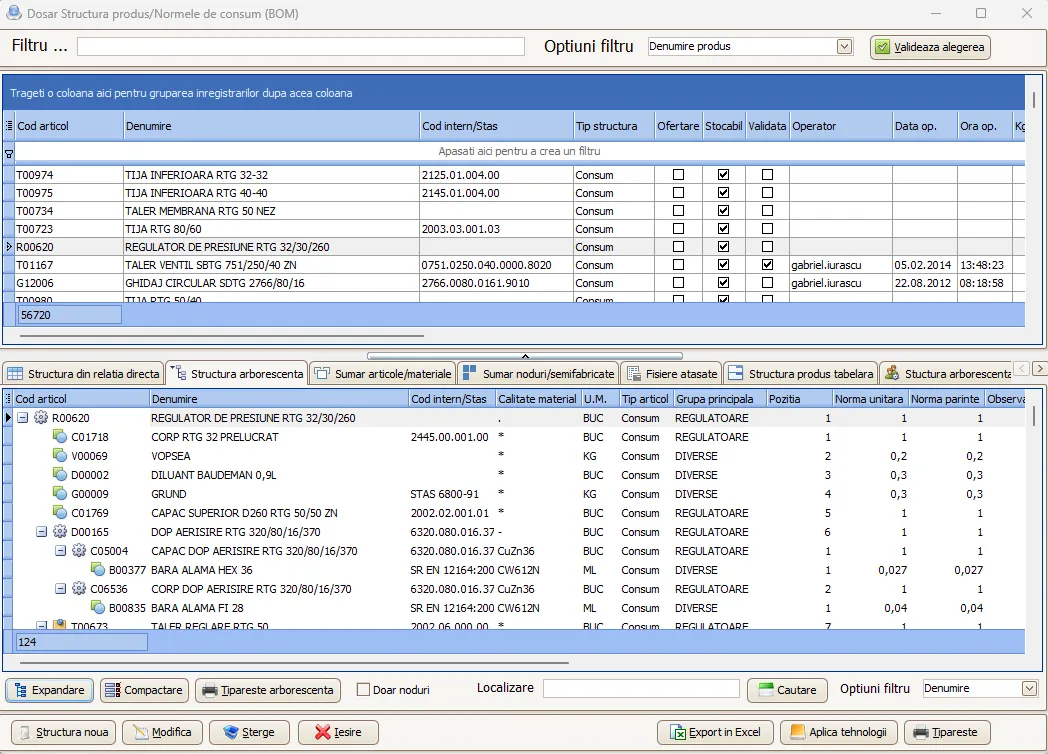
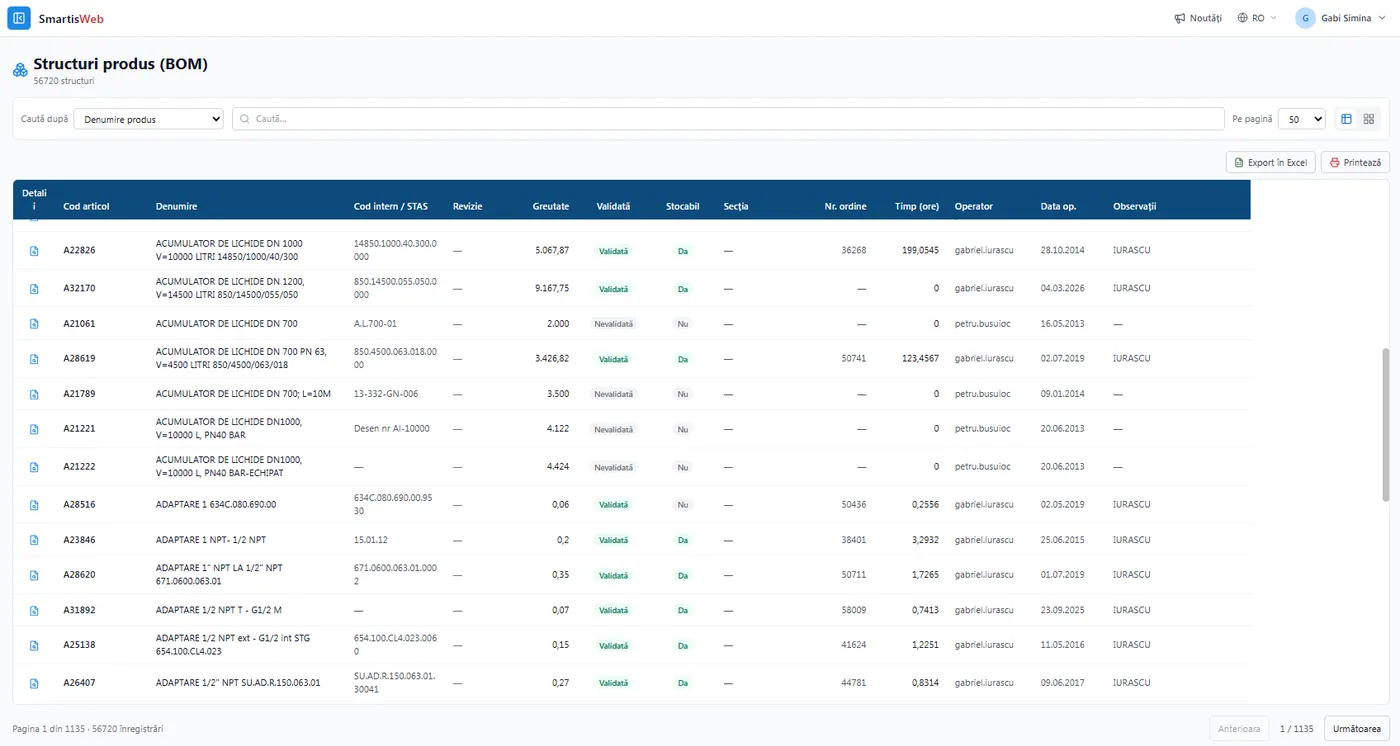
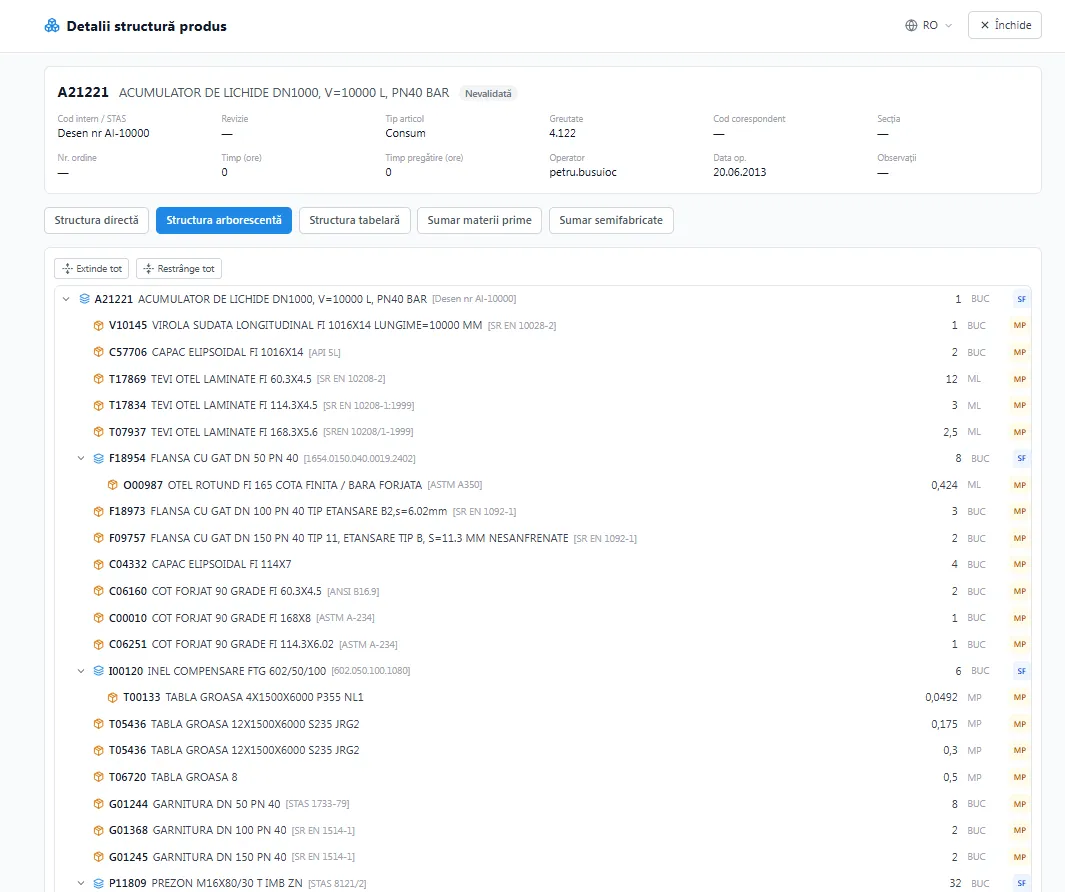
Section titled “Product structures (BOM) and consumption norms”The tree structure gives full visibility over every level — from raw material to finished good. The BOM “explosion” enables top-down (materials, times, costs by level) and bottom-up (where each material/operation is used) evaluations. Consumption norms underpin the automatic calculation of requirements and costs.
Routings
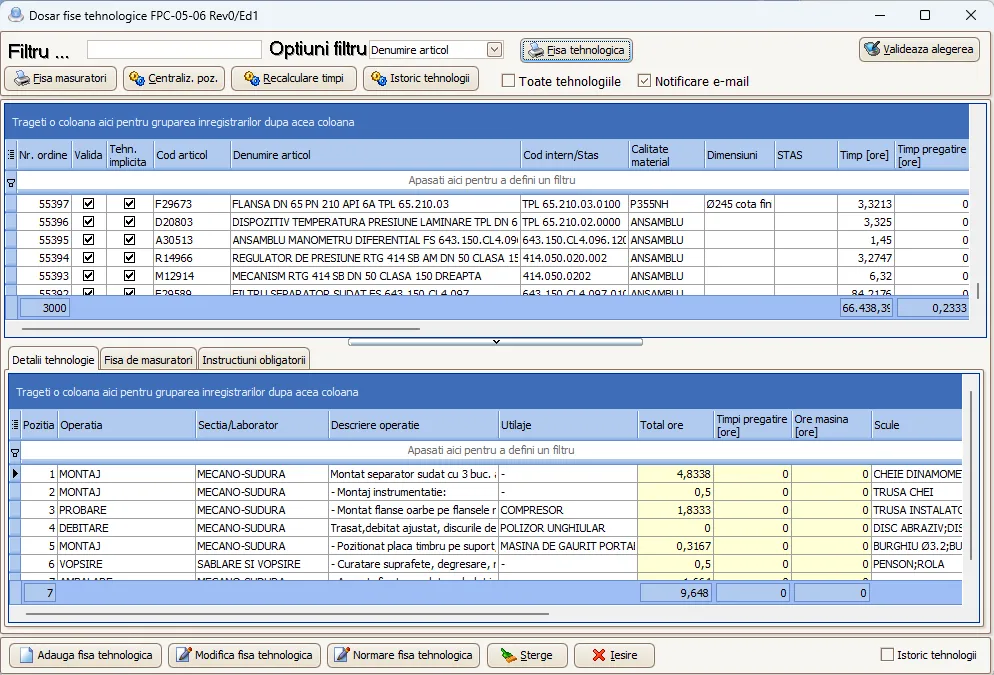
Section titled “Routings”Each operation has its section, machines, tools and inspection means, with standard execution and setup times. Linking routings to the BOM enables automatic calculation of material and resource requirements.
Production orders, consumption and handovers
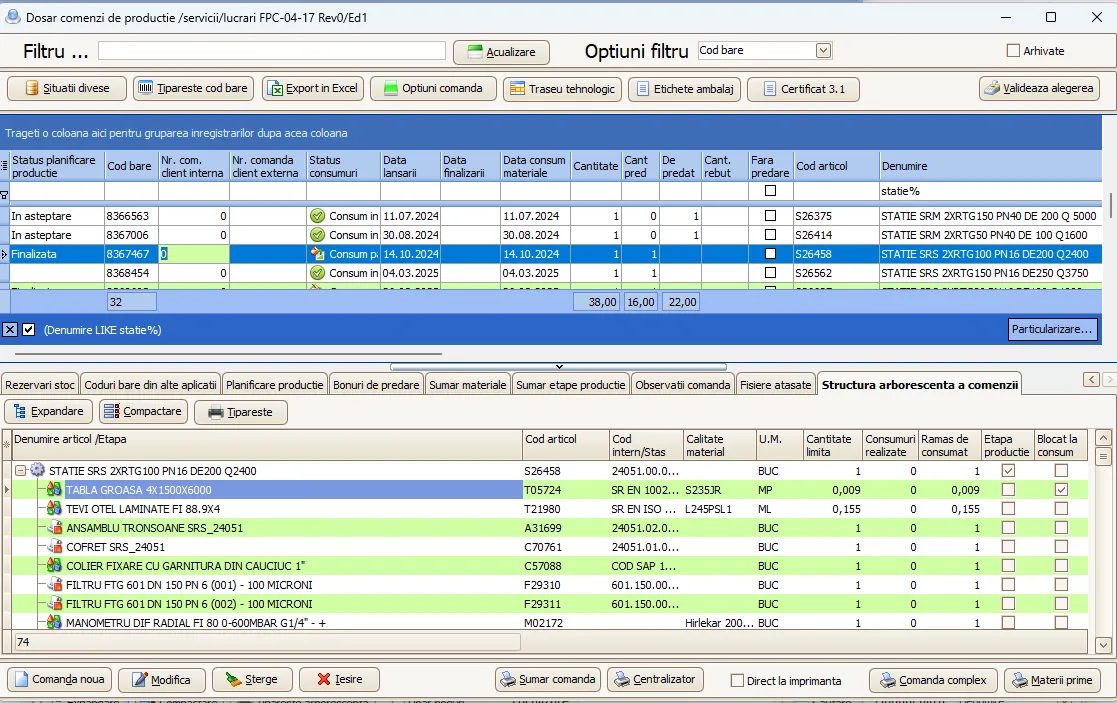
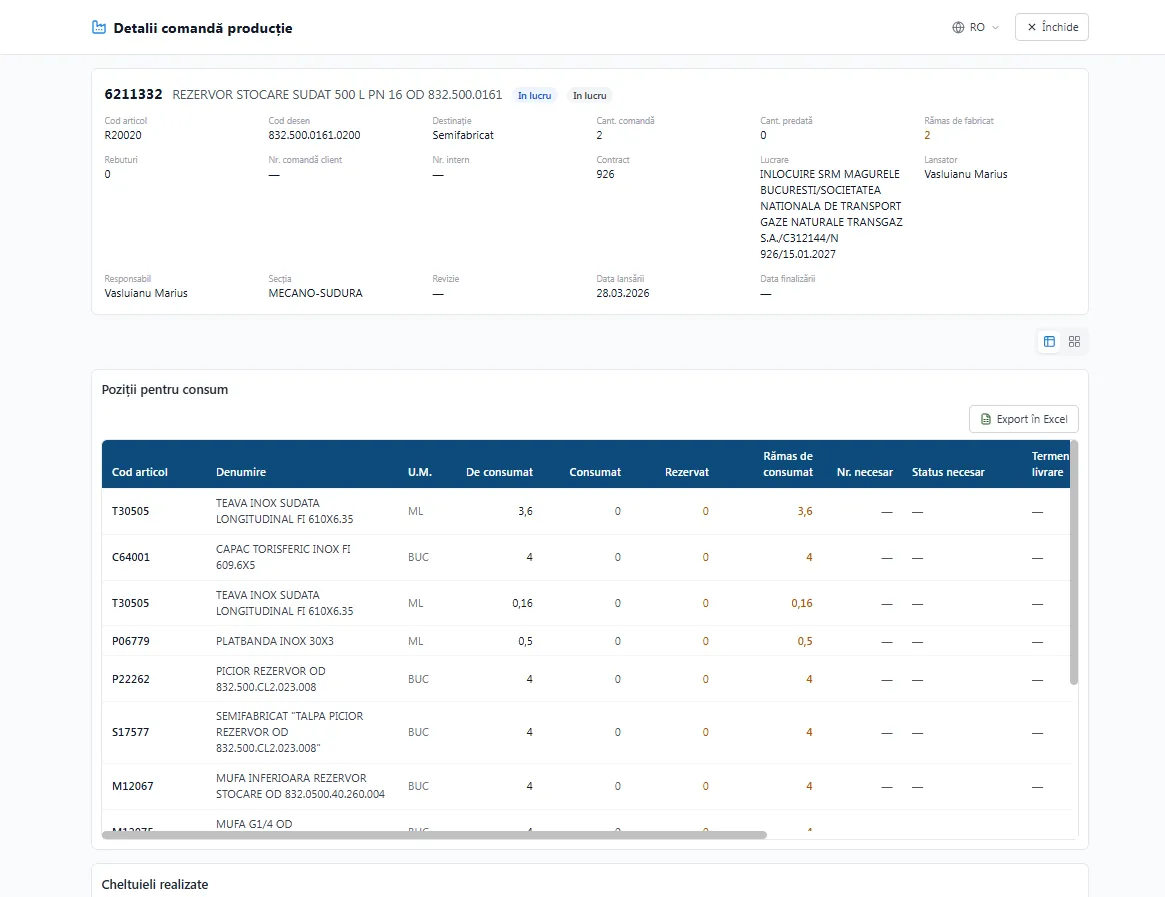
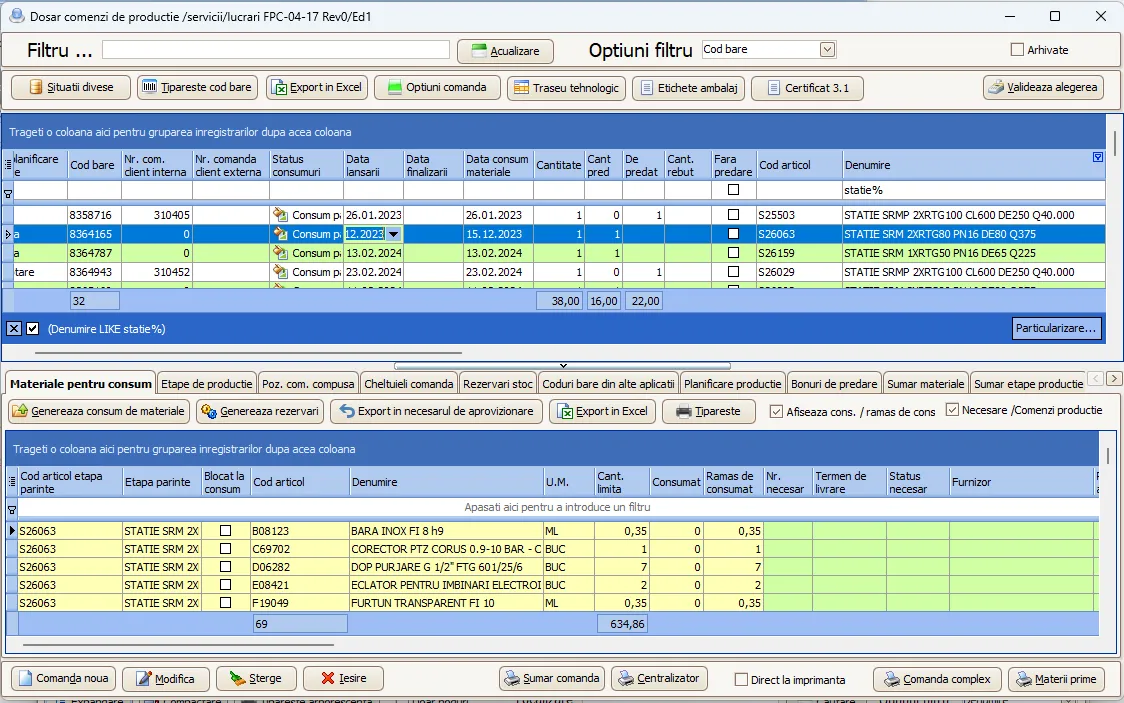
Section titled “Production orders, consumption and handovers”Orders are launched from customer orders, from BOM requirements or manually. From the order file you generate consumption (reserved from stock) and handover notes (entering inventory). Accounting entries are not generated automatically — the operational side is independent of accounting.
Planning and reporting (Start/Stop)
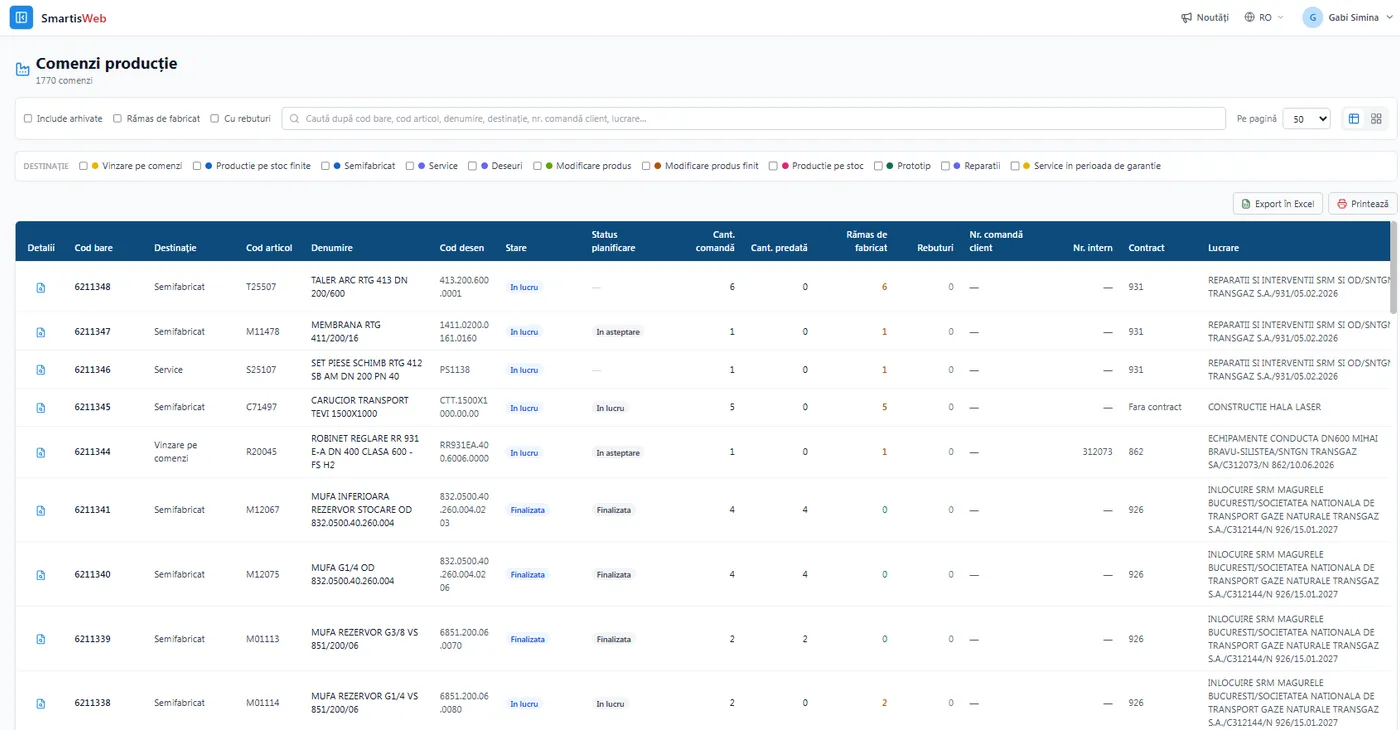
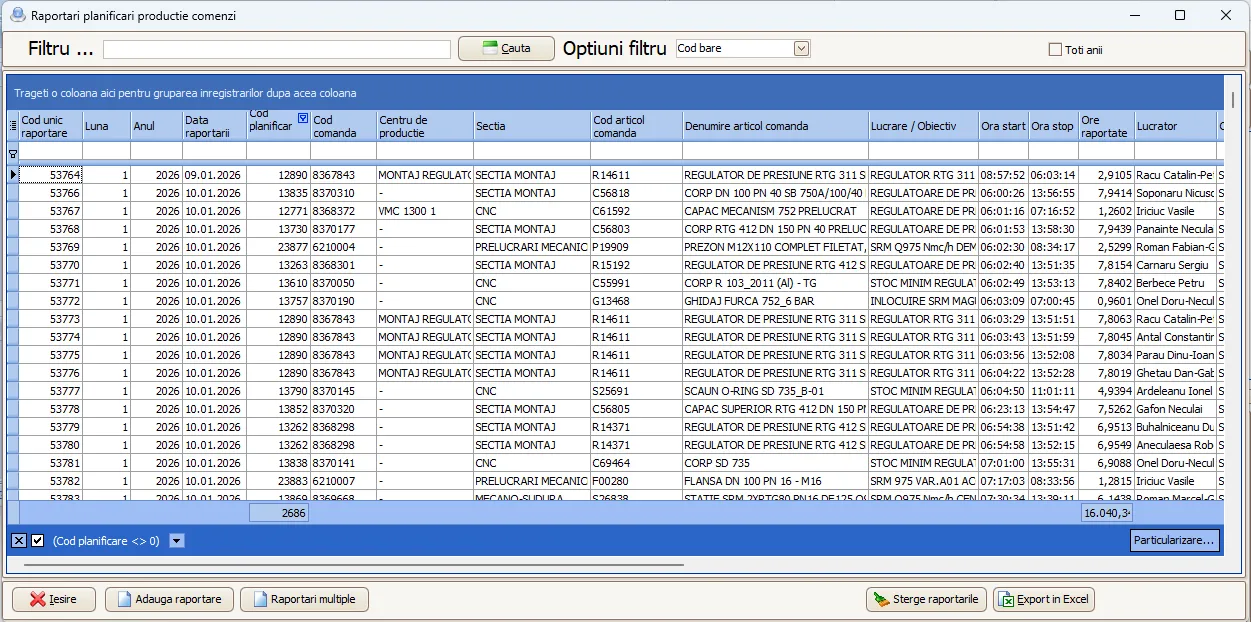
Section titled “Planning and reporting (Start/Stop)”Through Start/Stop, labor is clocked on operations in real time — at end of day you know the hours done, who performed each stage and each order’s status. Planning is done on production centers and machines.
Gantt chart
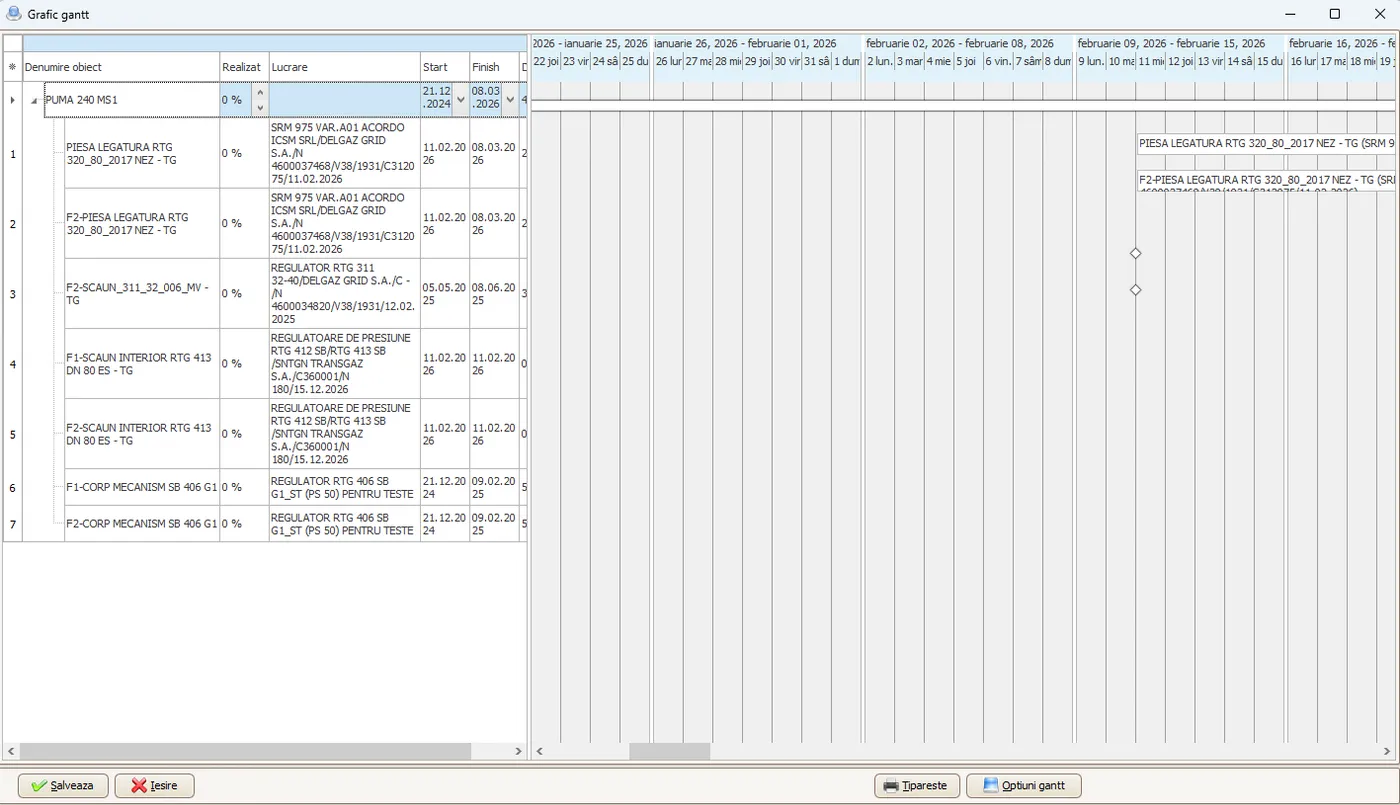
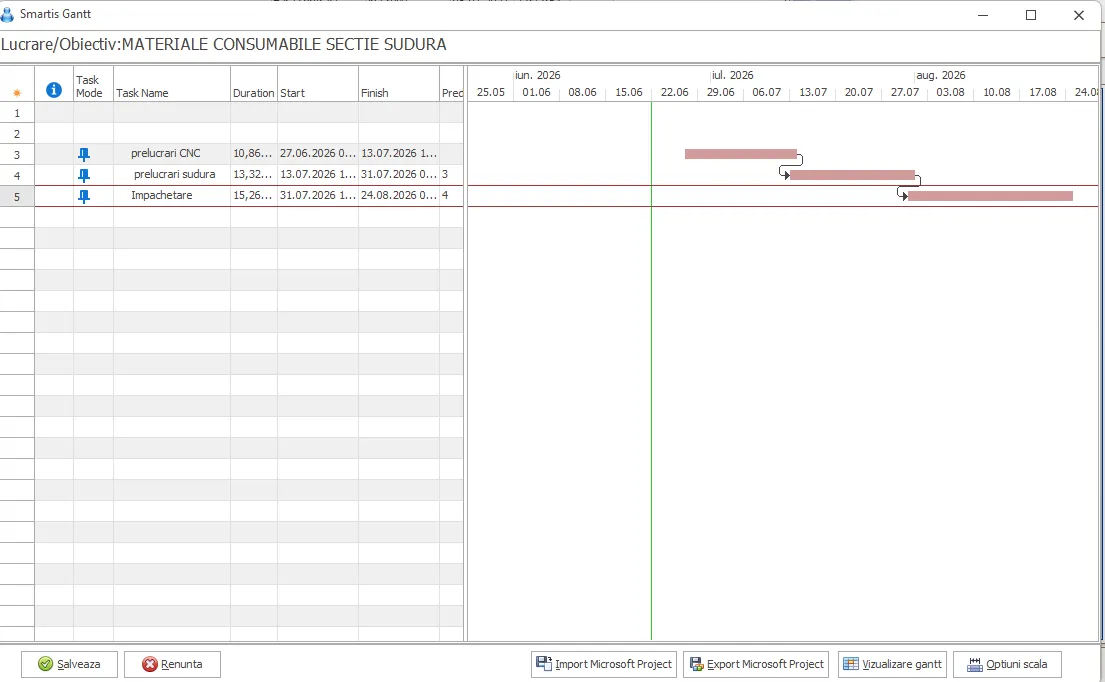
Section titled “Gantt chart”Work/order stages are planned on a timeline, with durations, start/finish and dependencies — including Microsoft Project import/export compatibility.
Operational, but with no double entry (the Smartis differentiator)
Section titled “Operational, but with no double entry (the Smartis differentiator)”On handover notes and consumption, accounting entries are NOT generated automatically. The operational side (production + inventory) stays independent of accounting. When you are ready, on the same document, you tick “Accounting: Yes” (after the accounts have been entered) and the entries are generated automatically, allocated by order and cost center.
The result: a fast operational flow plus correct accounting — without re-entering data in another module.
Costs: pre-costing, post-costing and class 9
Section titled “Costs: pre-costing, post-costing and class 9”- Pre-costing — estimated cost before launch (from BOM, norms and routings), with direct + indirect/logistics costs, adjustable; used in quoting.
- Post-costing — full cost from actual consumption, labor and overheads; compared with the pre-cost (variances) and with the selling price (margin).
- Production accounting (class 9) — entries by order/cost center, work in progress (WIP) and price differences.
Works, objectives and the build book (QC)
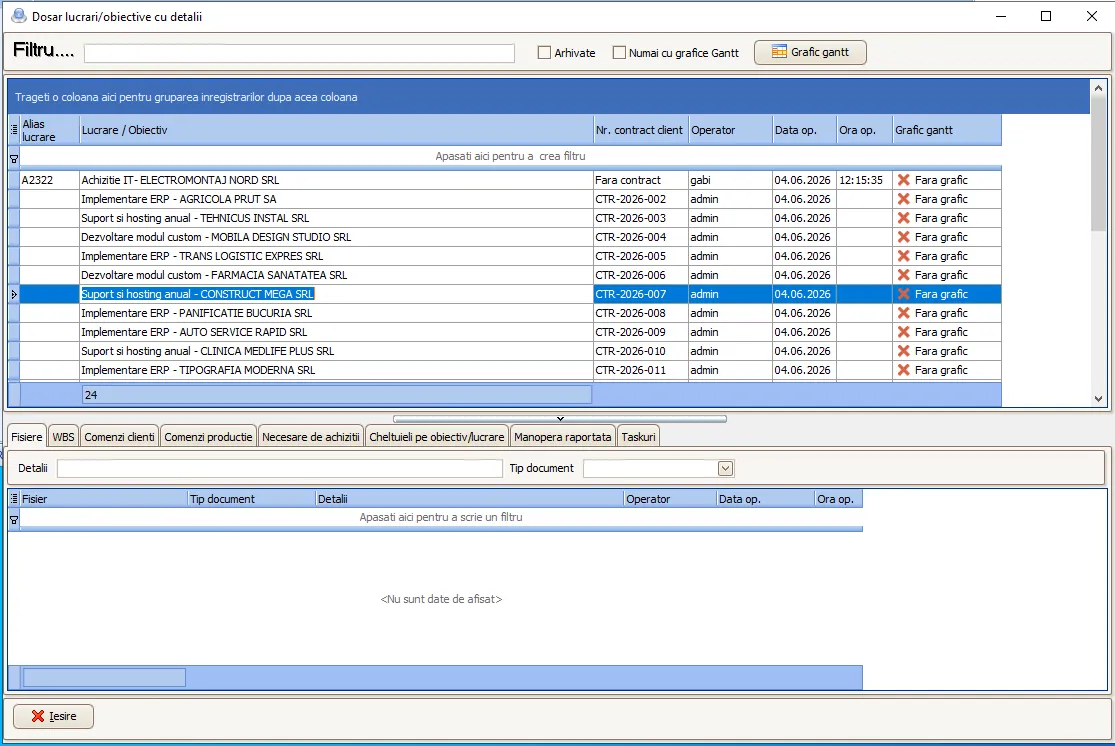
Section titled “Works, objectives and the build book (QC)”Each work/objective is a distinct project, with production orders, purchases, deliveries and aggregated costs, integrated with Purchasing and Sales. For large objectives and products with traceability requirements, QC compiles the build book — the quality dossier with certificates, test reports and the traceability of materials (lots/heats) and operations.
The UIC code — from order into production
Section titled “The UIC code — from order into production”Orders launched from Sales keep the UIC code from quoting and the customer order, becoming the lot code in production — traceability from offer to finished product. See the Overview.
Typical flow
Section titled “Typical flow”BOM + routing → launch production order (from Sales or standalone) → plan on machines/centers → Start/Stop (real-time labor) + consumption (from stock) → handover note (enters inventory) → (checkbox) class-9 accounting entries → post-costing compared with pre-costing. For large objectives, QC compiles the build book.
Benefits
Section titled “Benefits”- Flexible BOM, with top-down and bottom-up evaluations, and correct calculation of requirements and costs.
- Operational independence from accounting, with no double data entry.
- Real-time labor (start/stop), with traceability of who worked.
- Planning on machines/centers and Gantt charts (with MS Project import/export).
- Pre-costing + post-costing per order and traceability via the UIC code.
- Quality traceability (build book / QC) for large works.
- Real coordination between production, purchasing, sales and inventory.
See the video tutorials or contact us for help.