Sales
The Sales / Quoting module covers the entire commercial process — from pipeline and quote requests through orders, sales contracts and invoicing of deliveries. It tracks the customer relationship (history, custom terms, discounts, payment terms) and integrates with Inventory, Production, Purchasing and Treasury.
The difference is financial integration from the very first stage: already in the pipeline, an opportunity can be budgeted and seen in cash flow, budget and P&L — and the UIC code generated at quoting ties everything together, from offer through production and invoicing.
Hover over any screenshot to see it straight, at full size.
What you can do
Section titled “What you can do”- Pipeline (opportunities) — add potential customers as a general position, manually or by importing from Excel. An opportunity can be budgeted with direct costs (entering the planned budget), can generate a probable cash flow (with a probability of realization) and enters the P&L forecast (direct costs + estimated probable revenue). When the opportunity becomes a quote request, it is archived.
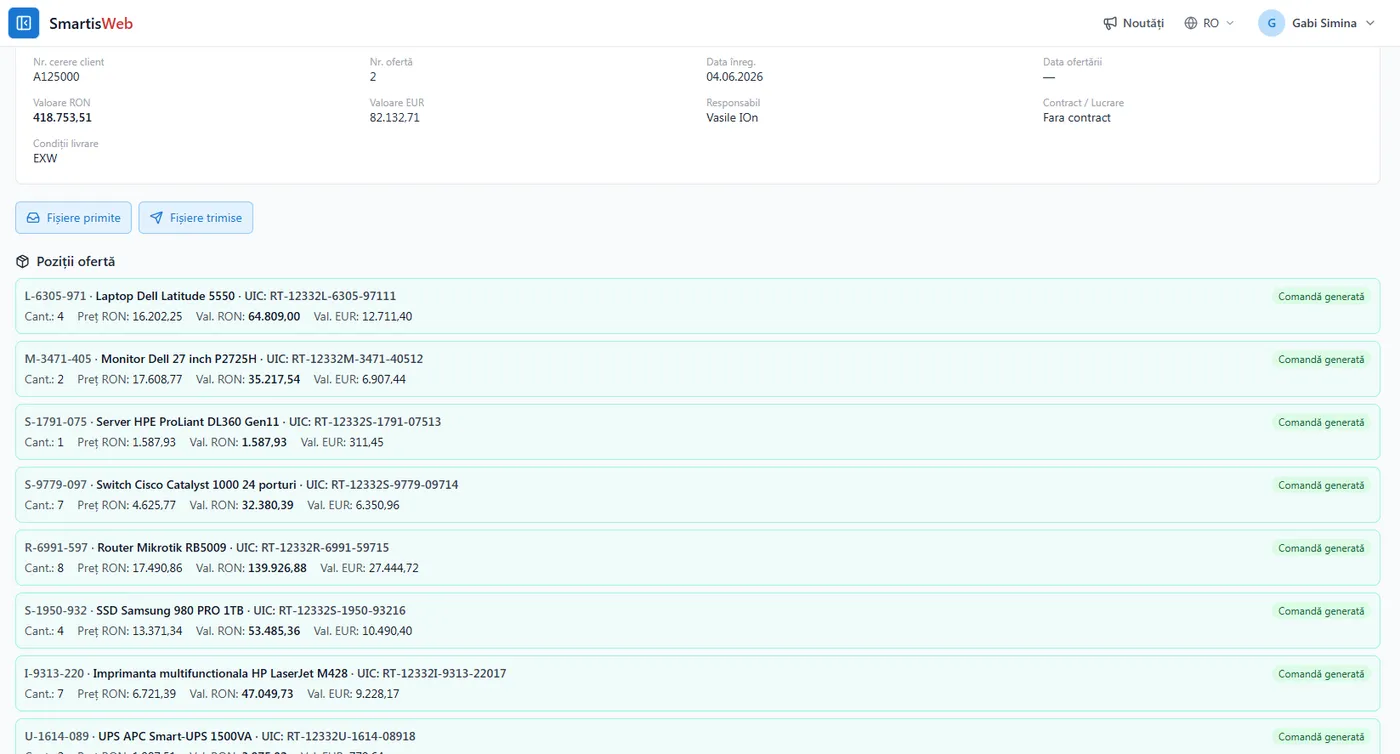
- Customer RFQs — detailed by position (exactly what the customer wants). Like the pipeline, they can be placed as estimates in cash flow, budget and direct costs / probable revenue in P&L. When the offer is accepted, a UIC code is generated per position, and with a single click the accepted offer becomes a customer order (the offer is archived). Documents and specifications can be attached.
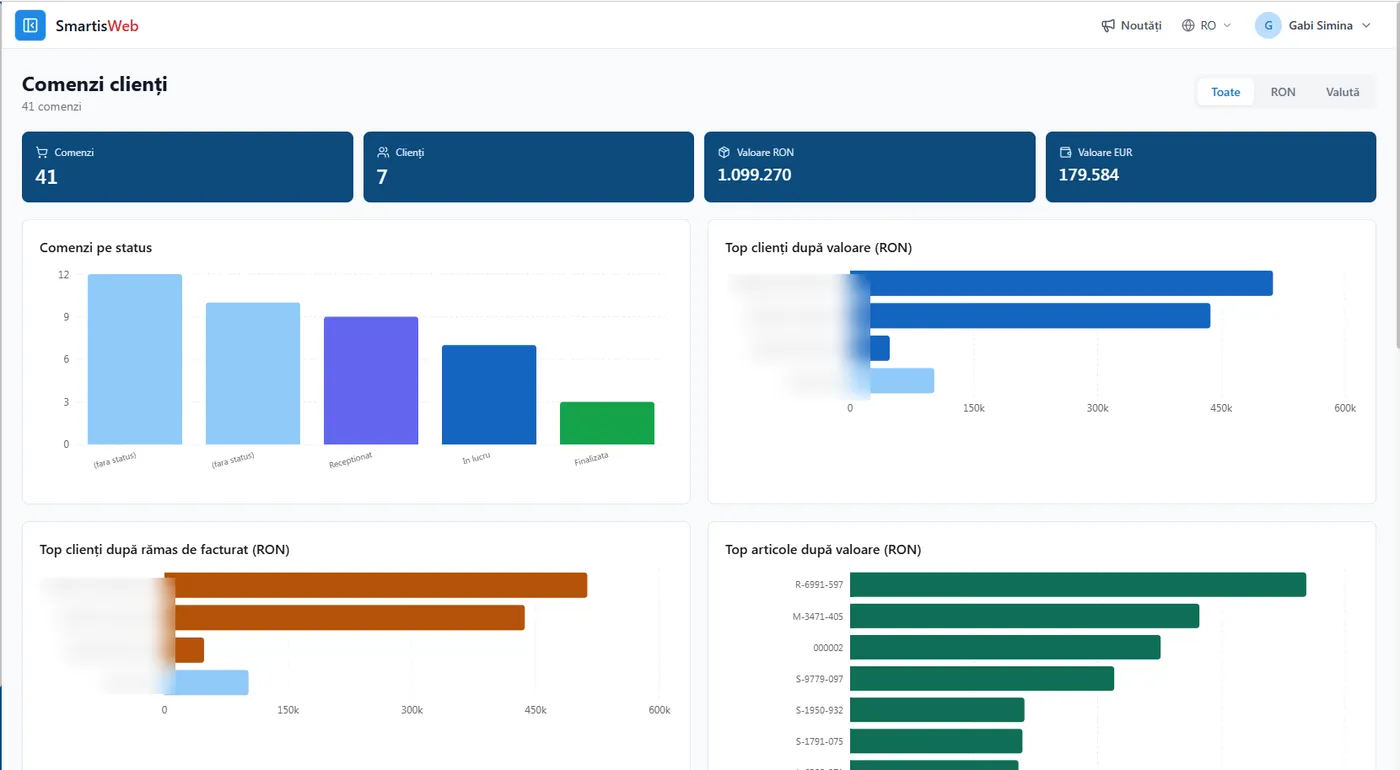
- Customer orders — each position is budgeted; based on delivery deadlines and planned advances, positions enter the cash flow as items you can rely on if you meet the deadlines. Each article with the same UIC code from quoting is budgeted with direct costs that affect both the direct-cost budget and the P&L forecast; based on delivery/invoicing terms, revenue also enters the P&L forecast. From a customer order, with one click:
- if the product is made in-house → customer order → production order;
- if it is purchased → the position goes into the purchase requirements (Logistics). Orders are grouped by works/objectives and by sales contracts. In the Customer orders file you track what was delivered and which advances were taken; at the actual delivery invoice, the position is closed and archived.
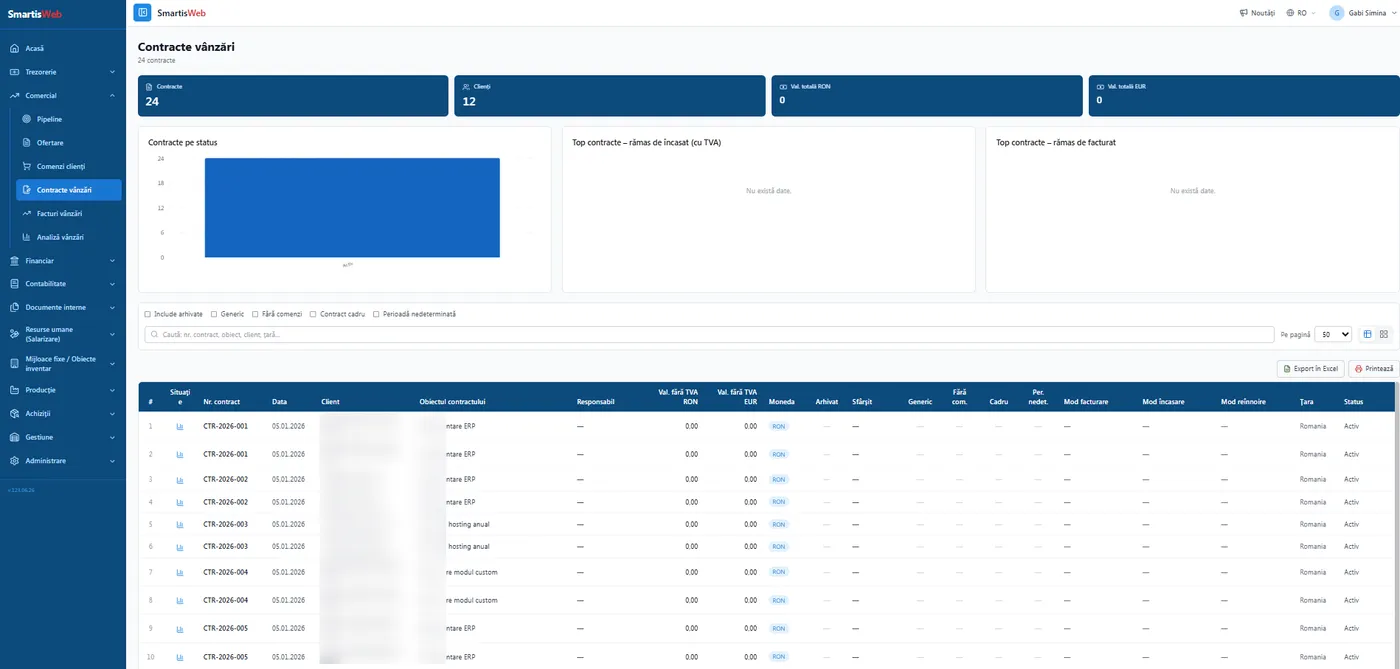
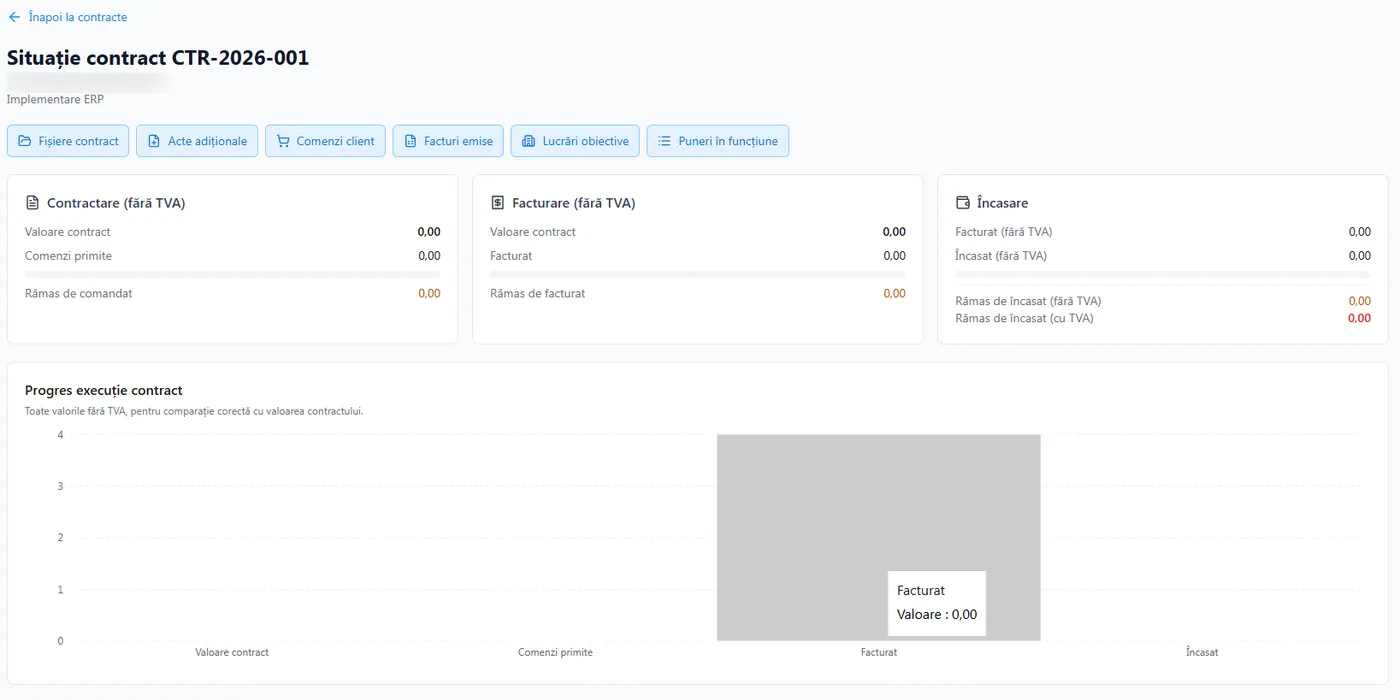
- Sales contracts — centralized records (parties, subject, commercial terms, validity, clauses), with documents attached via drag & drop and notifications for critical deadlines. A contract situation shows the orders received, what was delivered, what was collected and what remains to collect per contract, plus the related costs and the contribution margin.
- Invoicing — proforma invoices from quoting; from the Customer orders file and from scheduled advances, invoices are generated automatically with one click.
- Marketing campaigns — opportunities/campaigns, discounts, bundles and loyalty programs, integrated with quoting and orders.
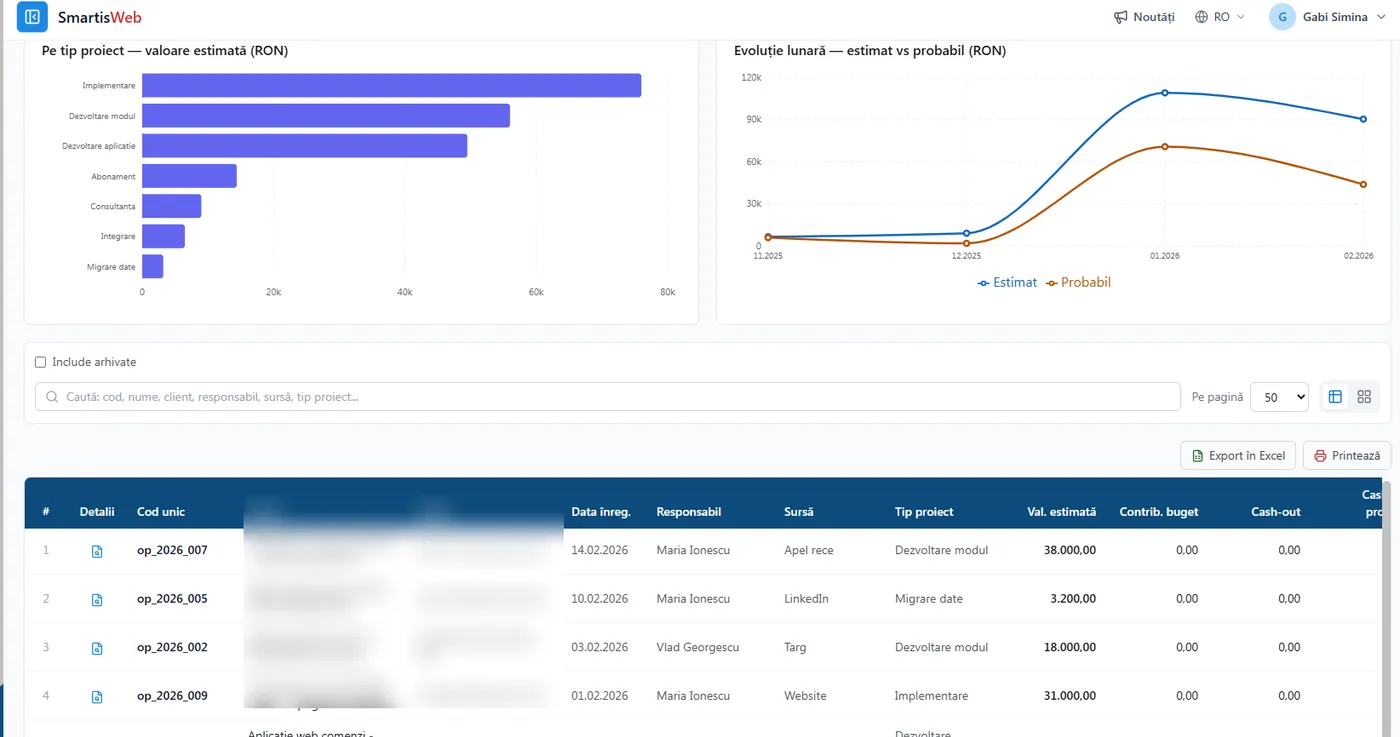
- Commercial situation analysis — contracted value, ordered, invoiced, balance to invoice/collect, costs and Contribution to Margin, per contract or consolidated.
- Service and commissioning (PIF) — modules for service of delivered products and commissioning reports (PIF), confirming conformity.
- e-Commerce — connect to eMAG (publish stock, pull orders, generate invoices), WooCommerce stores, and generate AWBs via Postis.
Pipeline — financial impact from the first stage
Section titled “Pipeline — financial impact from the first stage”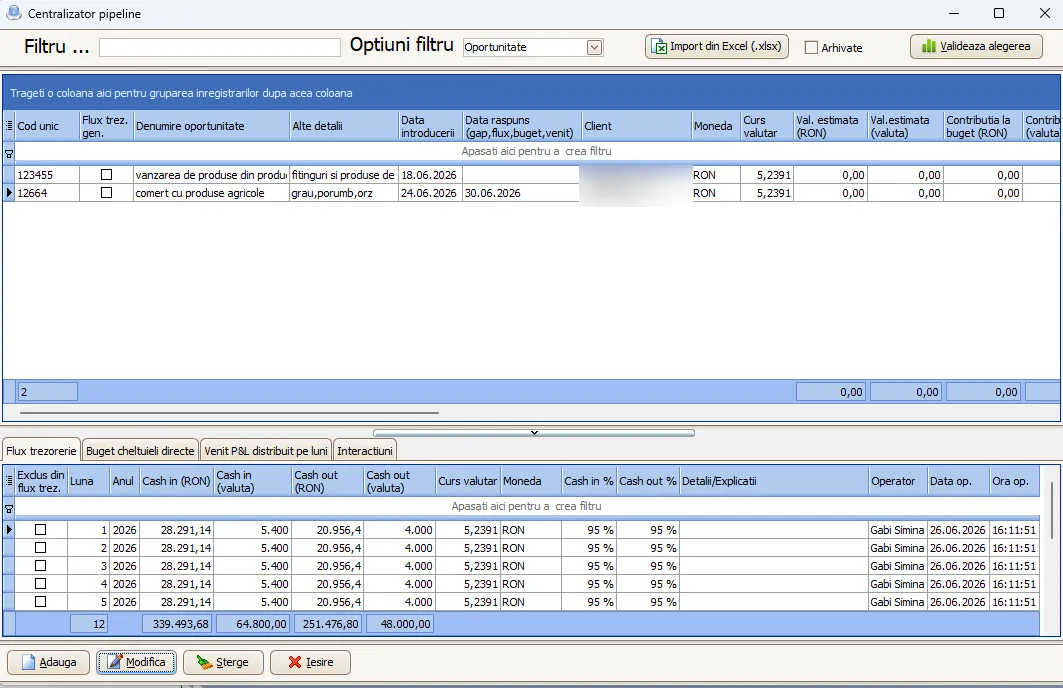
Position-level quoting, with UIC codes
Section titled “Position-level quoting, with UIC codes”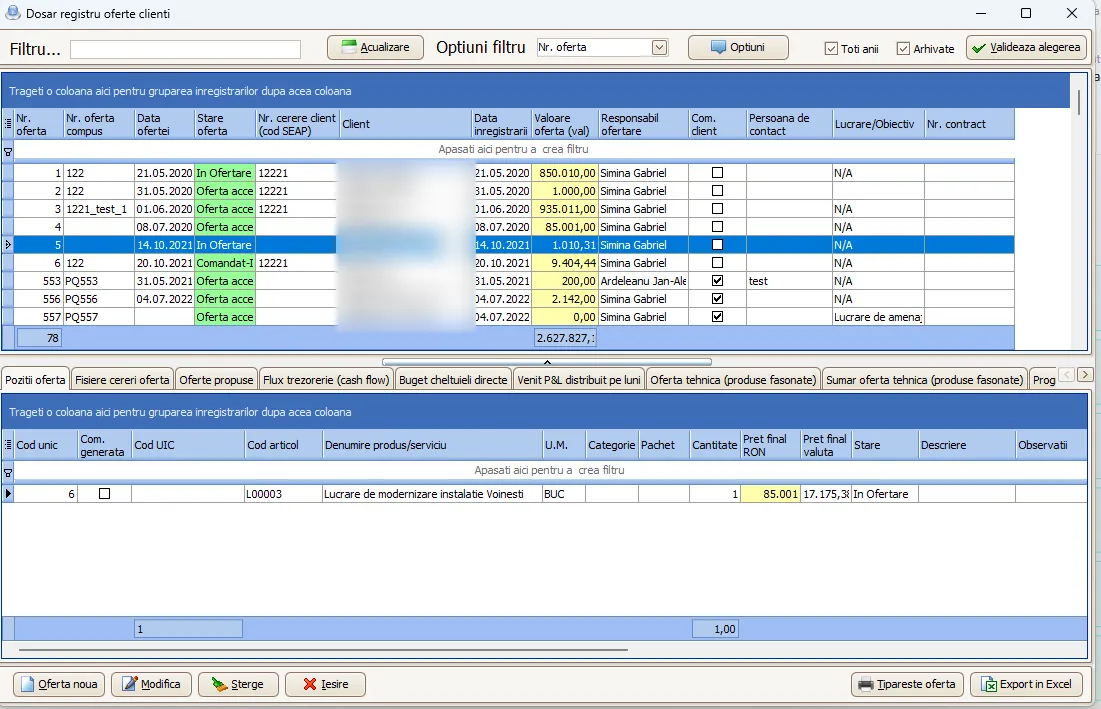
Customer orders — budget, advances, production and purchasing
Section titled “Customer orders — budget, advances, production and purchasing”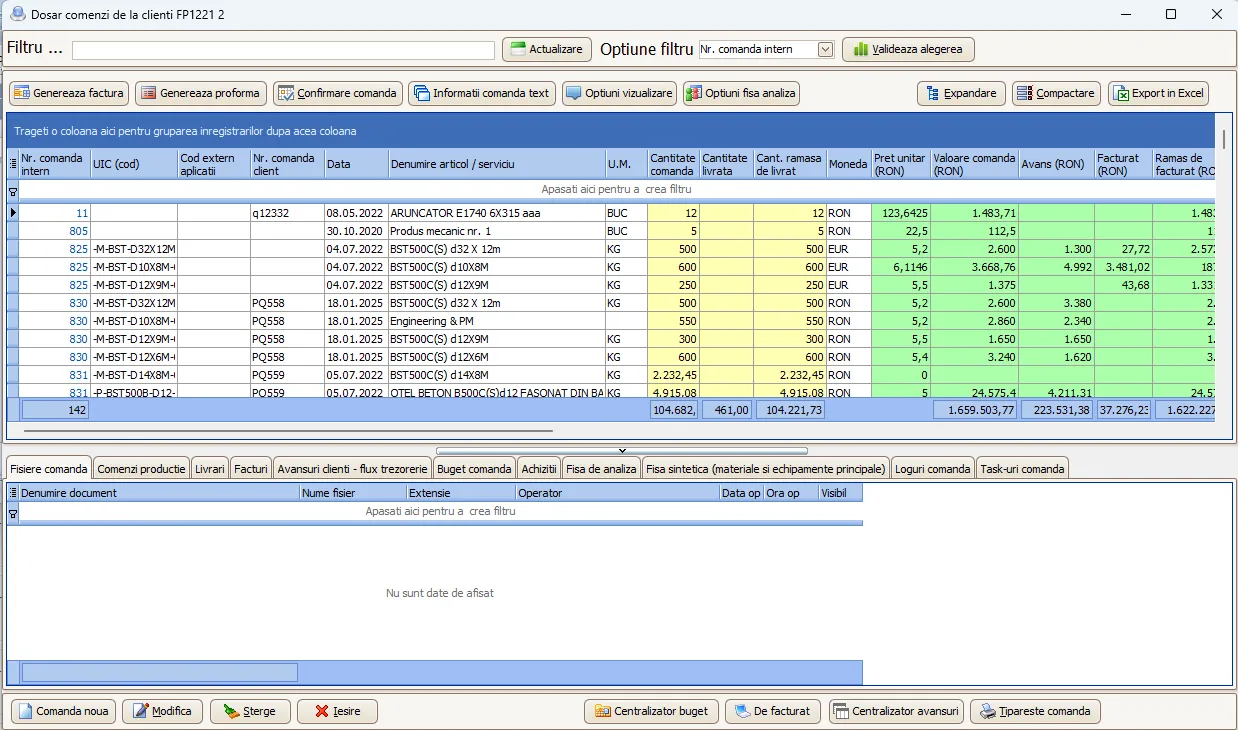
Sales contracts and their status
Section titled “Sales contracts and their status”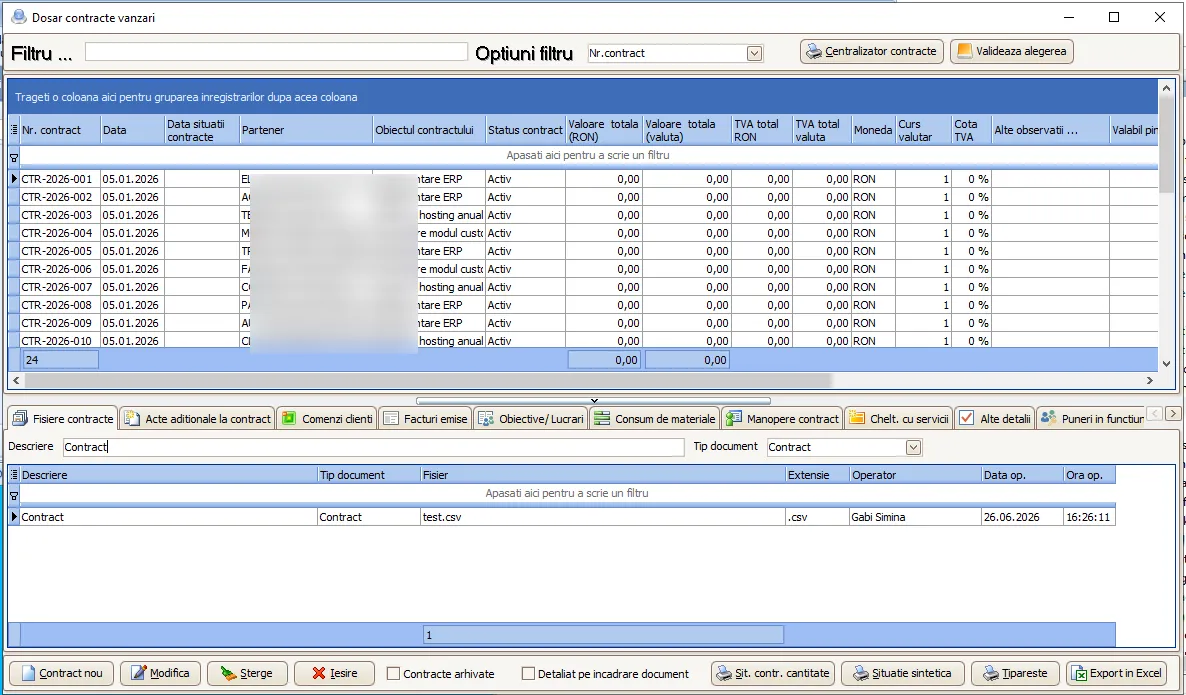
Sales analysis
Section titled “Sales analysis”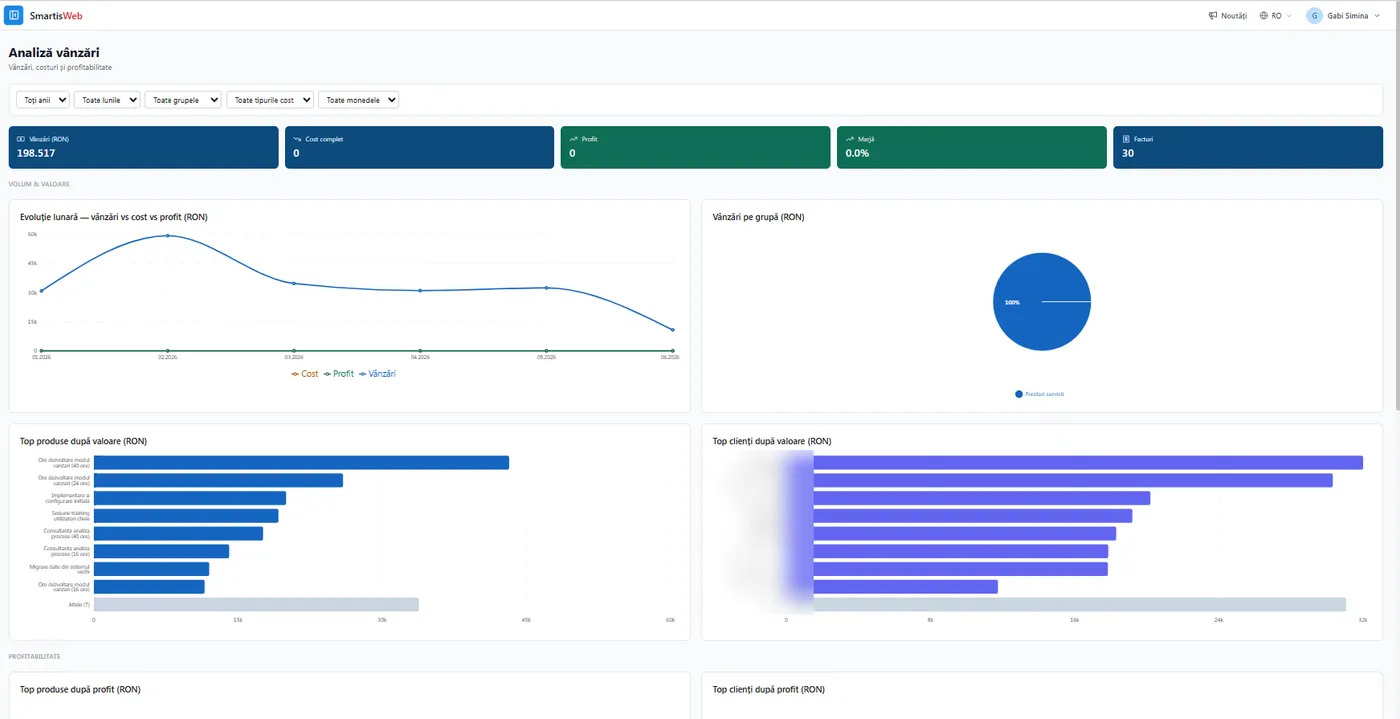
Service, commissioning and e-Commerce
Section titled “Service, commissioning and e-Commerce”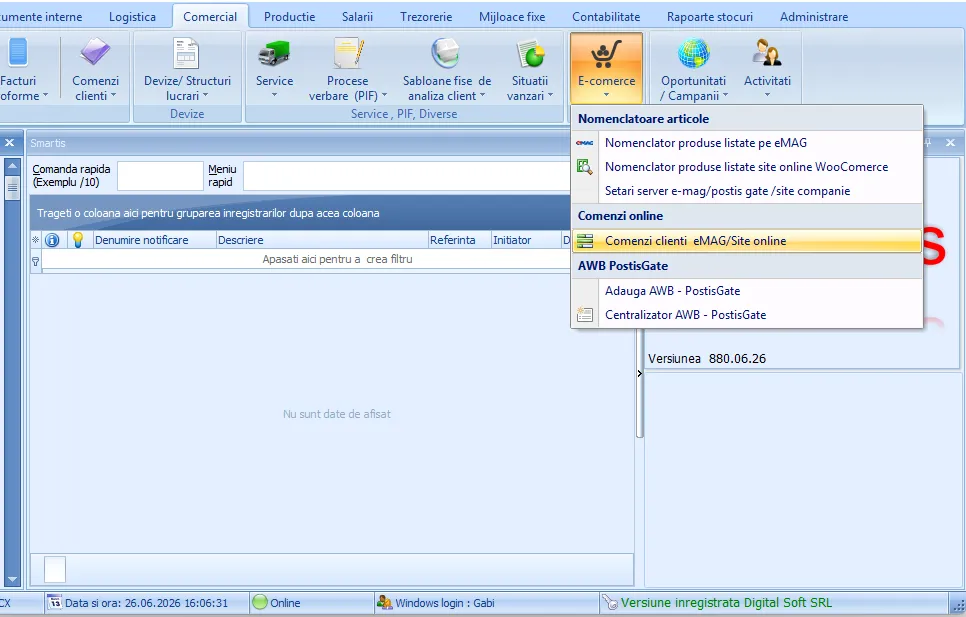
The UIC code — the order’s common thread
Section titled “The UIC code — the order’s common thread”The UIC code is generated at quoting (per position), flows into the customer order and onward into the production order. It is the same traceability key from offer to invoicing — see the Overview for the full flow.
Financial integration from the first stage (the Smartis differentiator)
Section titled “Financial integration from the first stage (the Smartis differentiator)”- Pipeline → planned budget (direct costs), probable cash flow (with a realization probability), P&L forecast (costs + probable revenue).
- RFQ → the same estimates, but detailed by position.
- Customer order → firm cash flow (by deadlines + advances), budget and P&L forecast per UIC position, revenue in the forecast by invoicing terms.
Once you have budgeted a customer order, you will be able to track budget adherence as it progresses. (coming soon)
Typical flow
Section titled “Typical flow”Pipeline (opportunity) → RFQ (by position; UIC code on acceptance) → customer order (one click) → production order / purchase requirement → delivery → invoice → collection. At each step, estimates and commitments appear in cash flow, budget and P&L; the offer and the opportunity are archived as they progress.
Benefits
Section titled “Benefits”- One-click conversion offer → order → invoice, with no data re-entry.
- Financial visibility from the opportunity stage — cash flow, budget and P&L forecast already from the pipeline.
- Traceability via the UIC code from quoting through production and invoicing.
- Real coordination between sales, production, purchasing and treasury.
- Complete contracts — files, orders, deliveries, collections, costs and margin in one place.
- Centralized online channels — eMAG, WooCommerce and AWBs via Postis.
See the video tutorials or contact us for help.