

Treasury
The Treasury module manages the complete record of receivable and payable invoices, tracking due dates and generating alerts for overdue items. It handles payment orders, receipts, cheques, promissory notes and the other payment or collection instruments, reconciling them with the accounting documents. The module gives a clear view of liquidity and of the exposure to customers and suppliers, supporting efficient cash management.
What you can do
Section titled “What you can do”- Receivables / payables — Receivables and Payables modules, fed automatically from Sales and Purchasing, with due dates, status and balance/overdue reports.
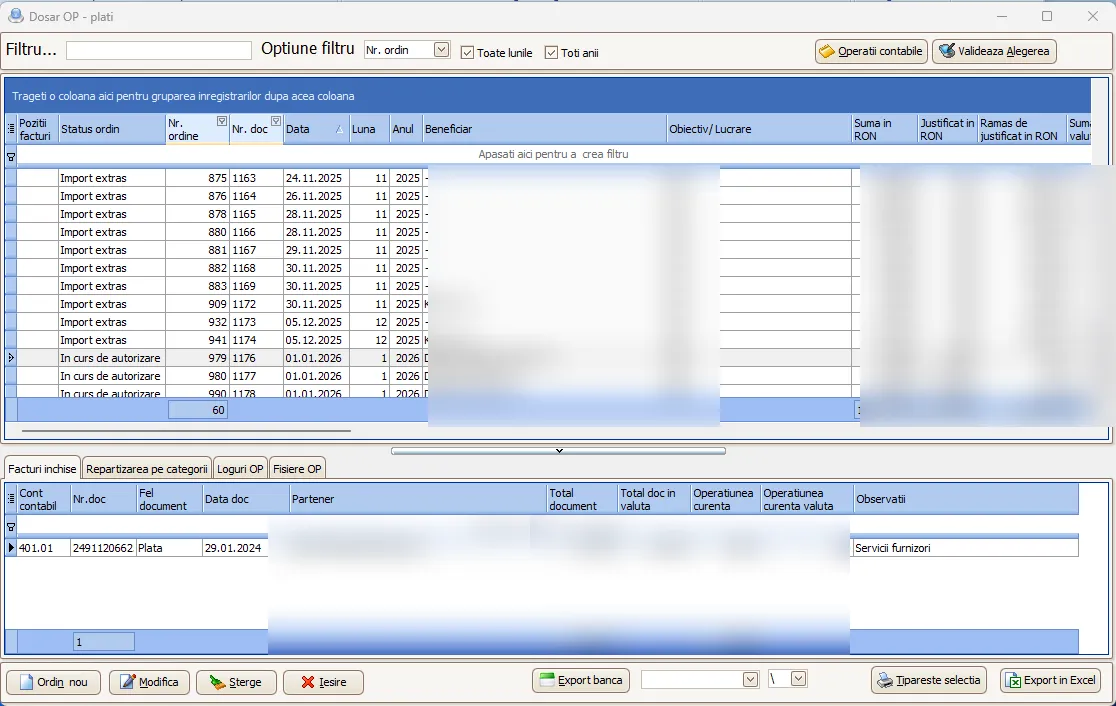
- Payment and collection orders — generated automatically from due invoices, individually or from the invoice file, auto-filled (beneficiary, IBAN, amount, reference).
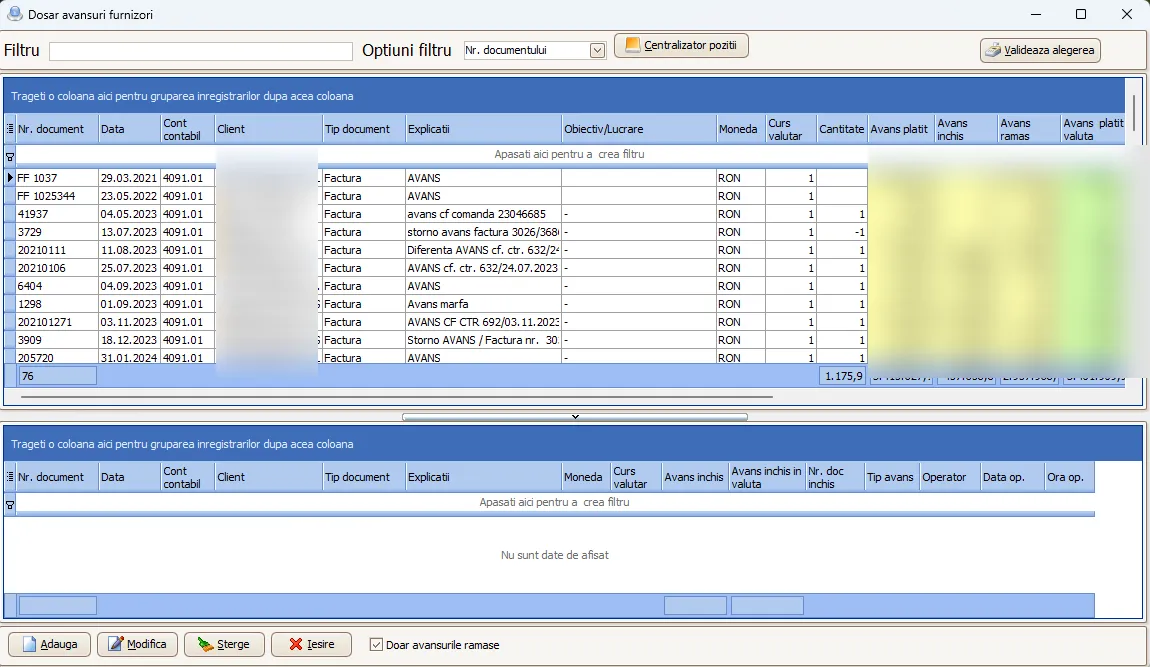
- Advances per invoice — tracking of advances paid and received, linked to the invoice, so you know which invoices are paid/collected in advance, not just the account-ledger balance.
- Payment batches with approval — built from payment orders, with approvals through the web.smartis.ro platform (multiple approvers), email notification and automatically updated statuses.
- Cash and bank — receipts/payments in local currency or FX, receipts and statements reconciled with invoices.
- Effects and offsetting — promissory notes, bills of exchange, cheques, endorsements; offsetting per partner; collections based on courier statements.
- Guarantees, credit lines and leasing — validity, terms, repayment schedules and expiry alerts.
- Cash and bank registers — daily records, balances, FX differences, in the legal format, with PDF/Excel export.
Receivable and payable invoices
Section titled “Receivable and payable invoices”Smartis centralizes all the company’s receivables and payables in a single interface, through the dedicated Receivables and Payables modules. The system feeds automatically from Sales and Purchasing, showing the partner, invoice number, amount, currency, due date and status (unpaid, partially paid, settled).
- Filter invoices by period, customer, supplier or cost center.
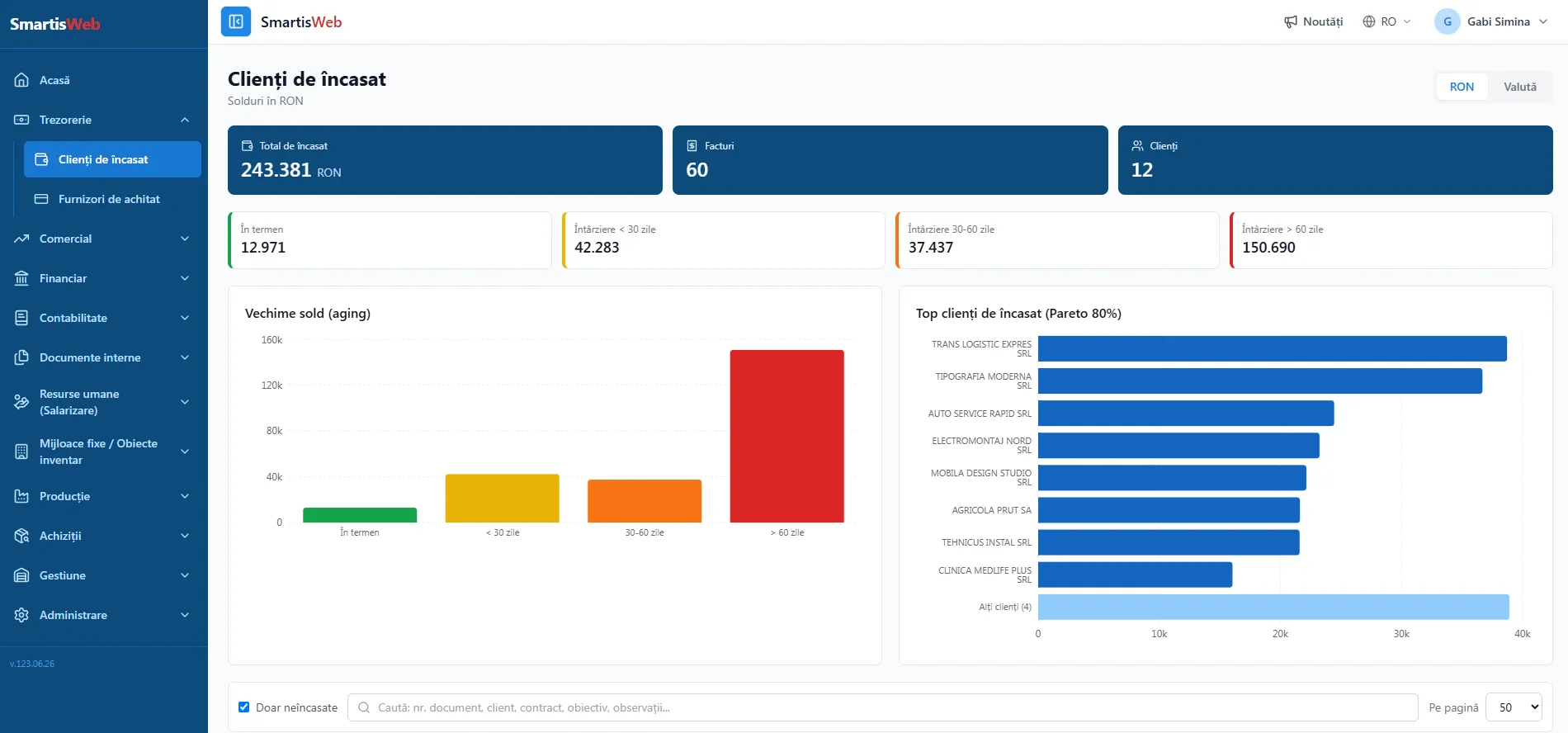
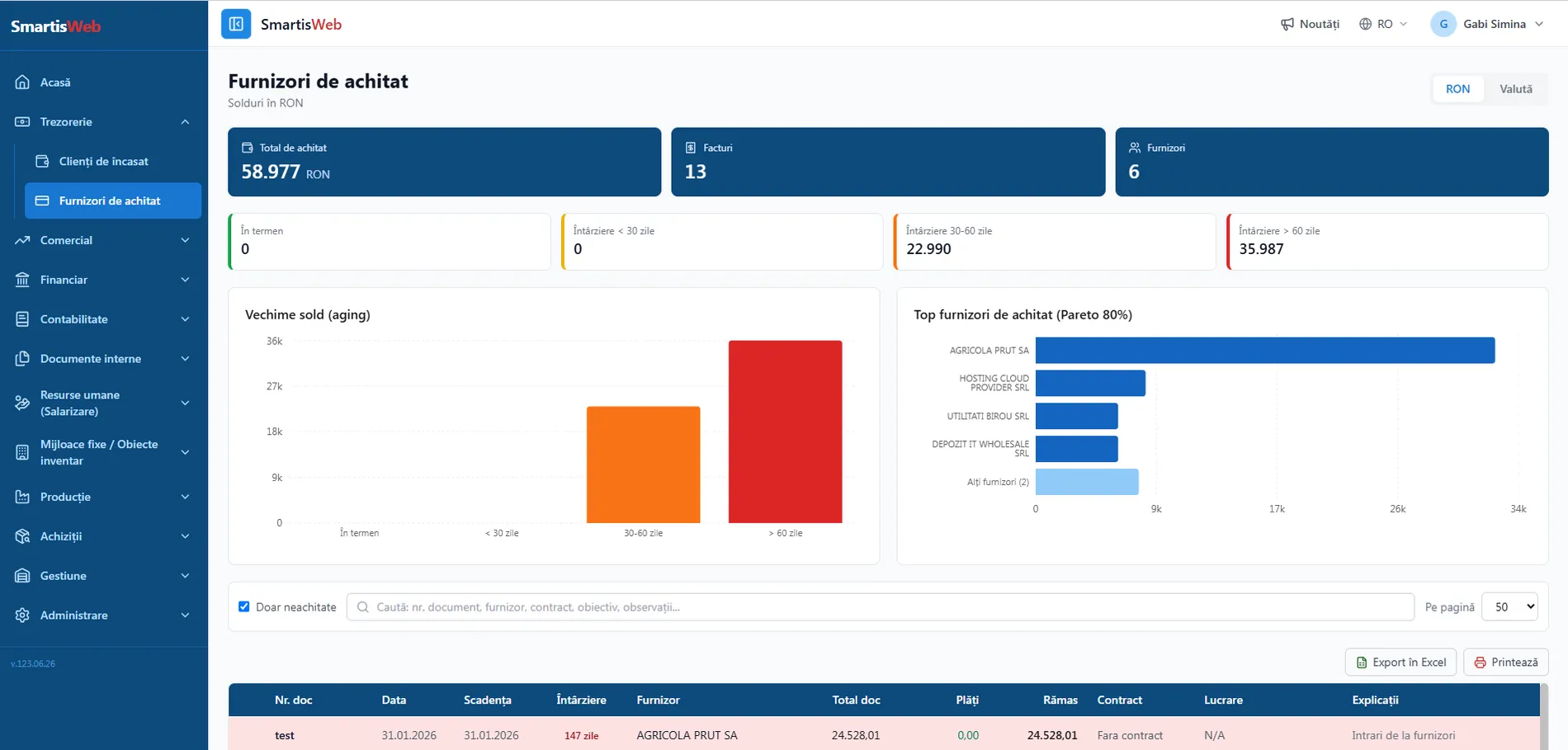
- Reports on current balances, overdue invoices and those approaching their due date.
- Automatic alerts for overdue or upcoming deadlines.
- Direct integration with Treasury — payments and collections are matched automatically to the related documents.
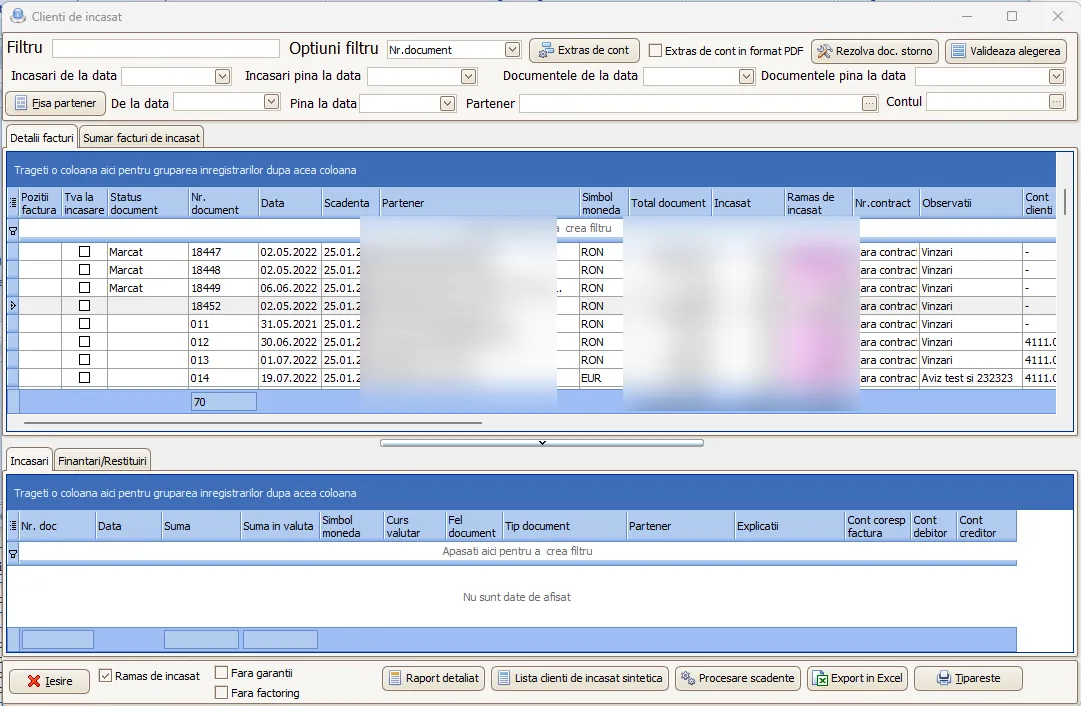
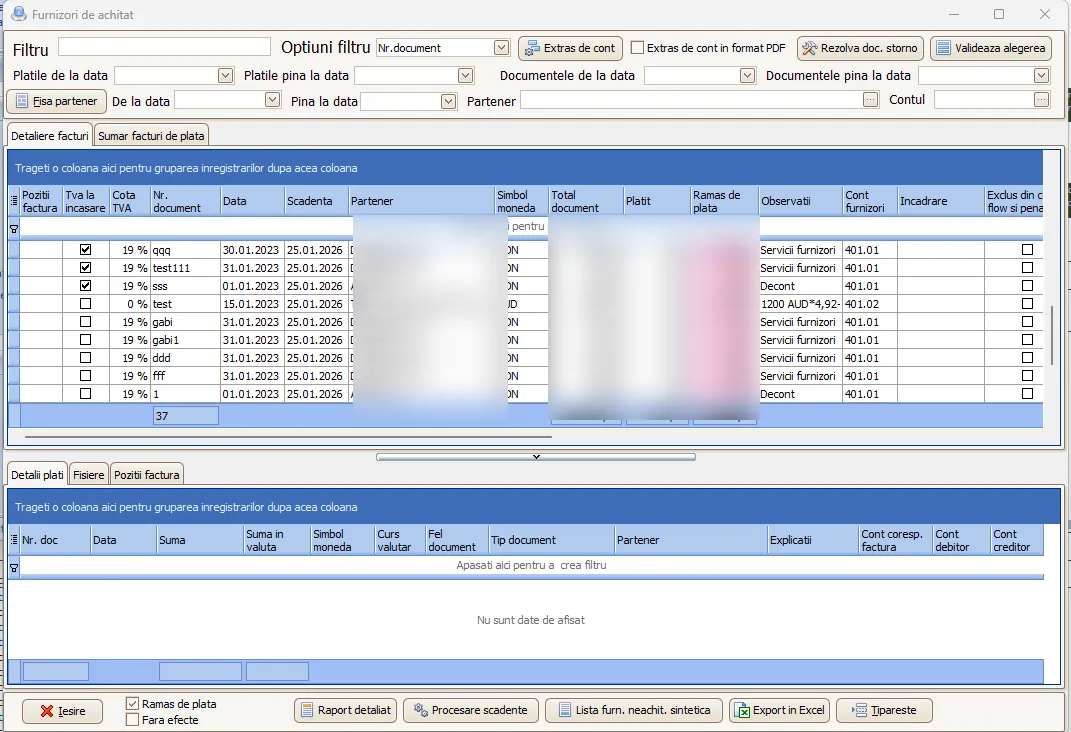
The same data is available in SmartisWeb, with KPIs, balance aging and top partners (Pareto 80%):
Advances paid and received
Section titled “Advances paid and received”Smartis tracks advances paid and received from customers, linked to the invoice. This means you always know which invoices are paid in advance and which are collected in advance — not just the overall balance from the account ledger. Advances are settled automatically at invoicing, keeping traceability per partner and document.
Payment and collection orders
Section titled “Payment and collection orders”The dedicated Payment and Collection Orders module generates documents automatically from due invoices and other financial obligations. The user selects payments to suppliers or collections from customers, and the system auto-fills all required data: beneficiary, IBAN, amount, description and reference.
- Generate individually or from the payables file, by selecting the invoices to be paid/collected.
- History of all issued documents, with automatic matching to the related invoices and documents — full traceability.
- Easy integration with banking systems for fast processing.
Benefits: centralized management of payments and collections, less operating time through automatic generation and filling, integration with banking systems.
Payment batches and approvals
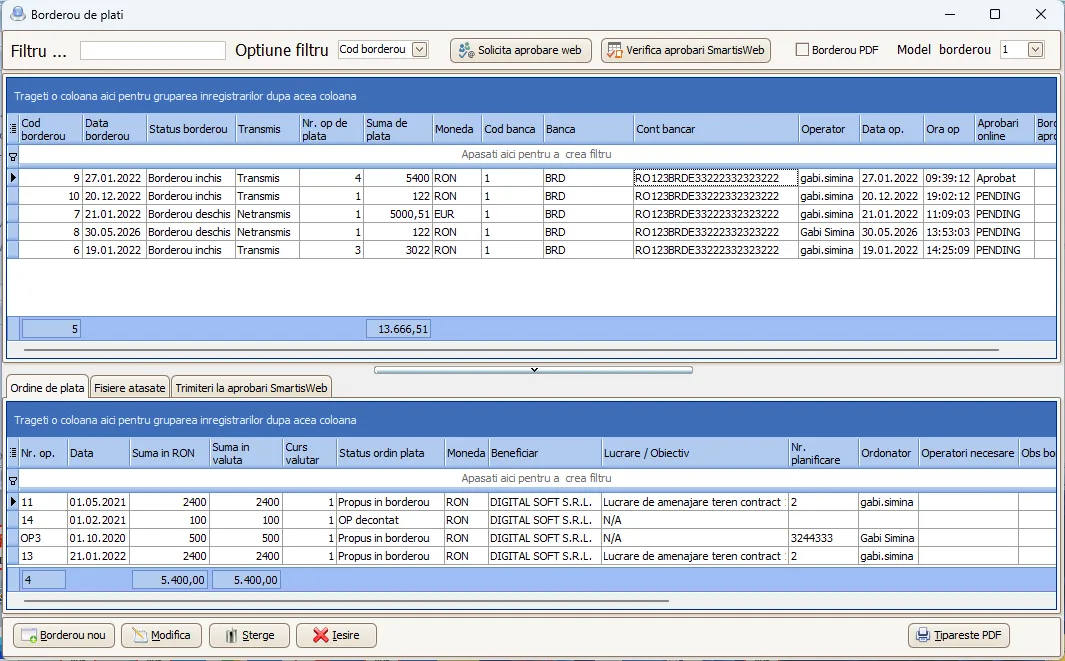
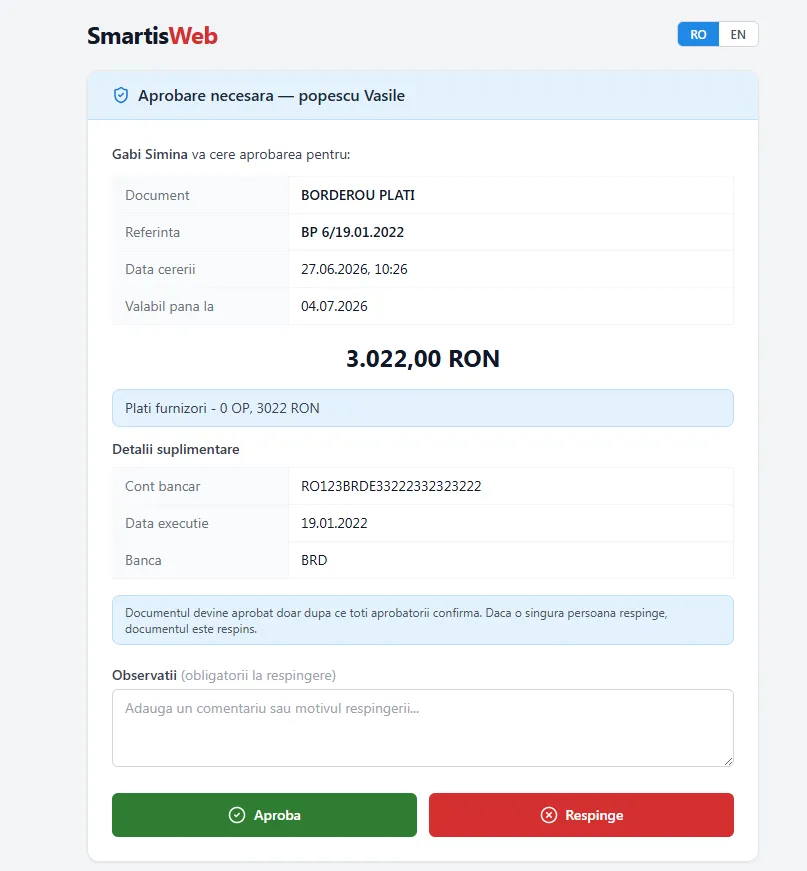
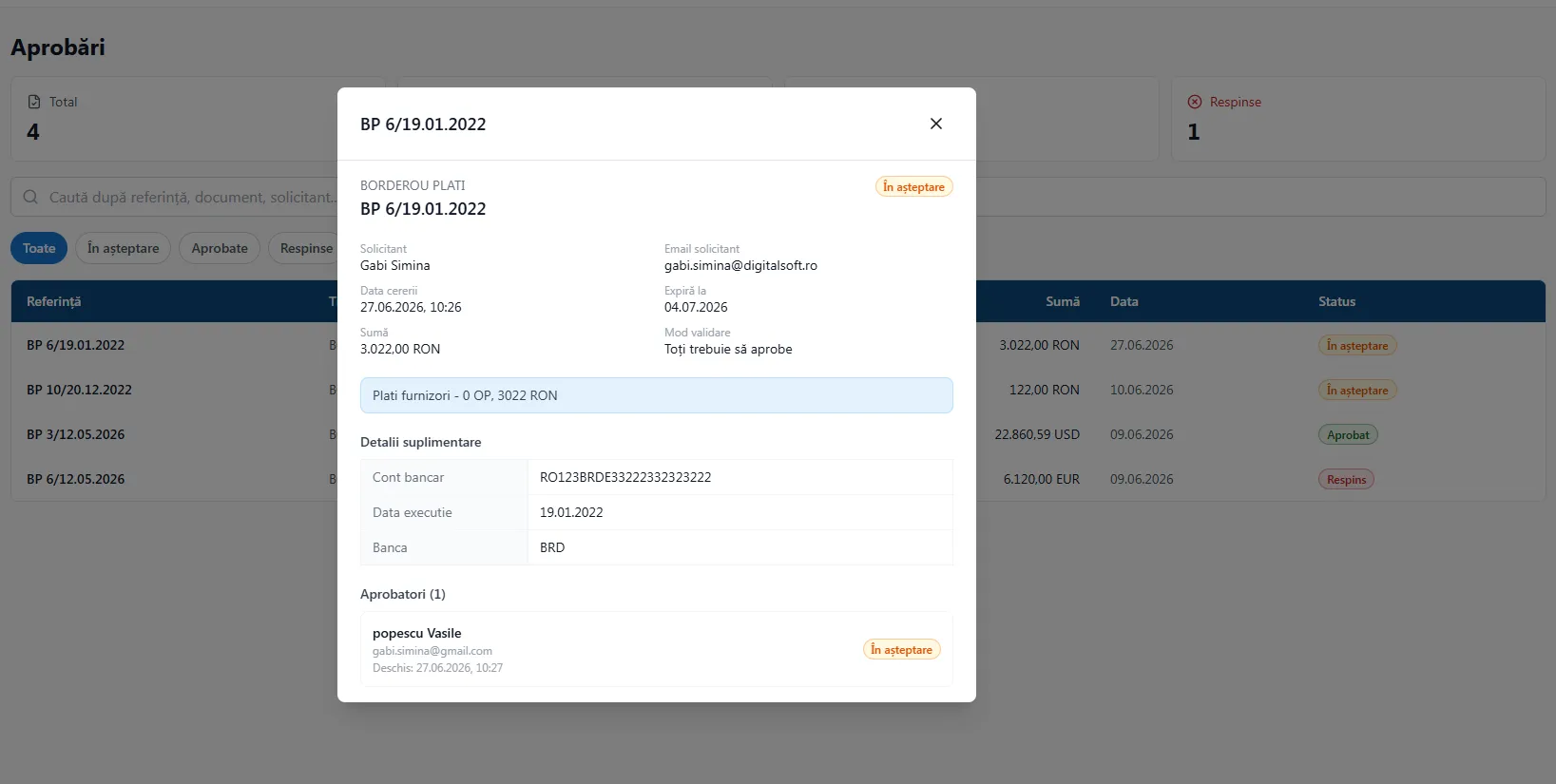
Section titled “Payment batches and approvals”Based on payment orders, you can build payment batches, grouping payments for processing. For each batch you can request approvals through the web.smartis.ro platform, with multiple approvers.
- On approval or rejection, the initiator is notified automatically by email.
- The approval statuses are updated automatically in Smartis, so a payment can proceed only after validation.
- Full traceability: who approved/rejected, when and with what notes.
Cash and bank
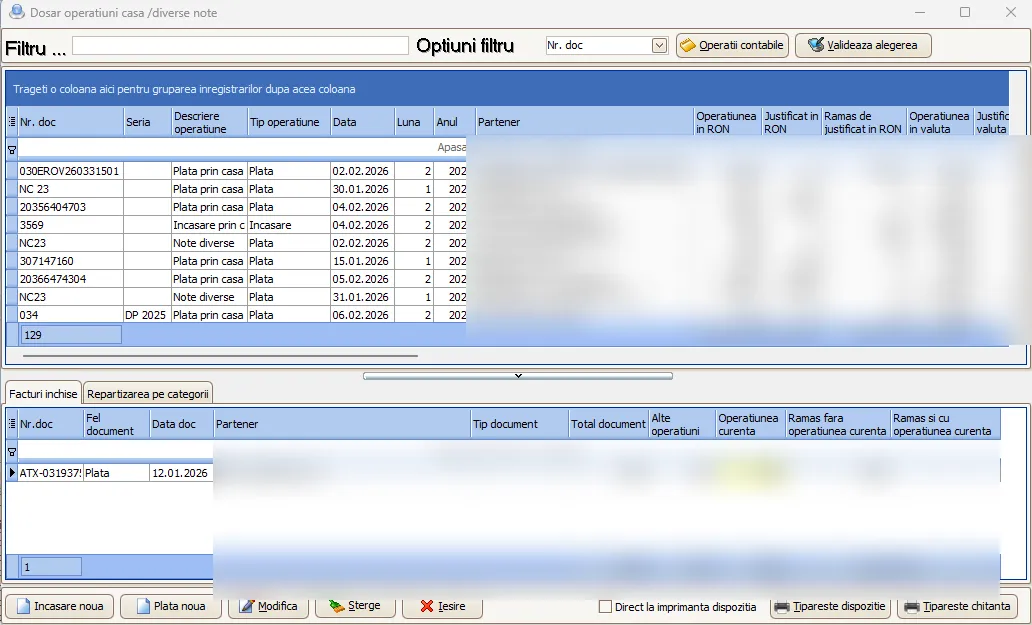
Section titled “Cash and bank”Smartis fully covers Cash and Bank operations, allowing the recording and tracking of all transactions in cash and through bank accounts. In the cash desk, the system handles receipts and payments in local currency or FX, automatically generating receipts and the cash/bank register, in line with legal requirements.
- Centralized, real-time record of all cash and bank operations.
- Automatic imports and a direct link to supporting documents.
- Compliance with tax requirements and automatic posting to accounting.
Effects and offsetting
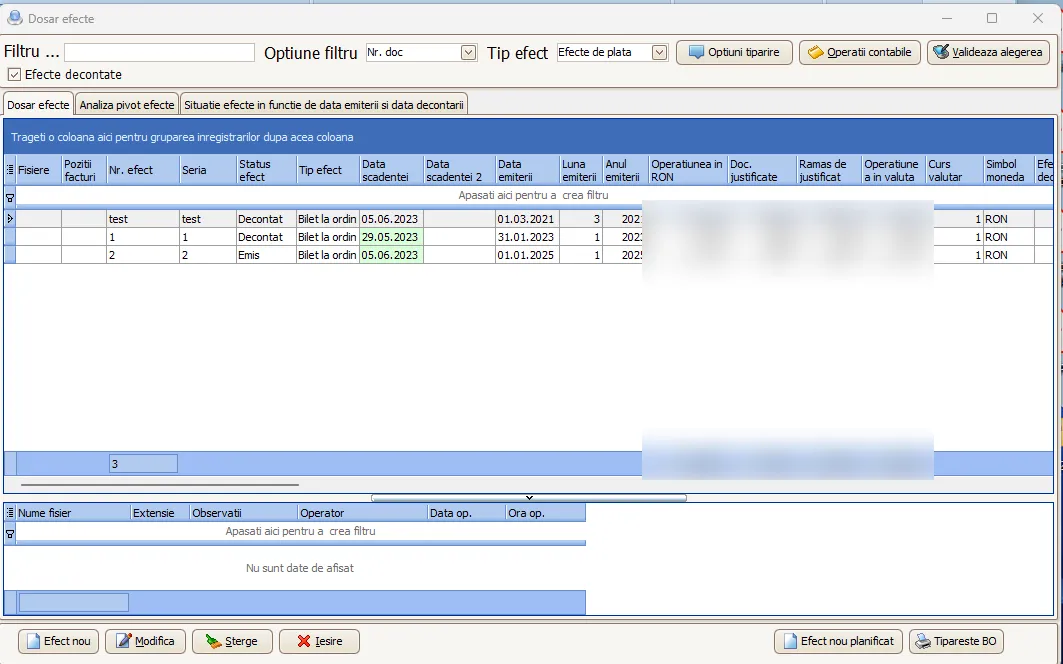
Section titled “Effects and offsetting”Promissory notes, bills of exchange and cheques are tracked by stage, from issue to settlement, including endorsements to third parties. Offsetting between receivables and payables with the same partner is handled with the related supporting documents, reducing cash turnover. The system also covers collections based on courier statements (cash on delivery), automatically matching the collected amounts to the related invoices.
Contractual guarantees
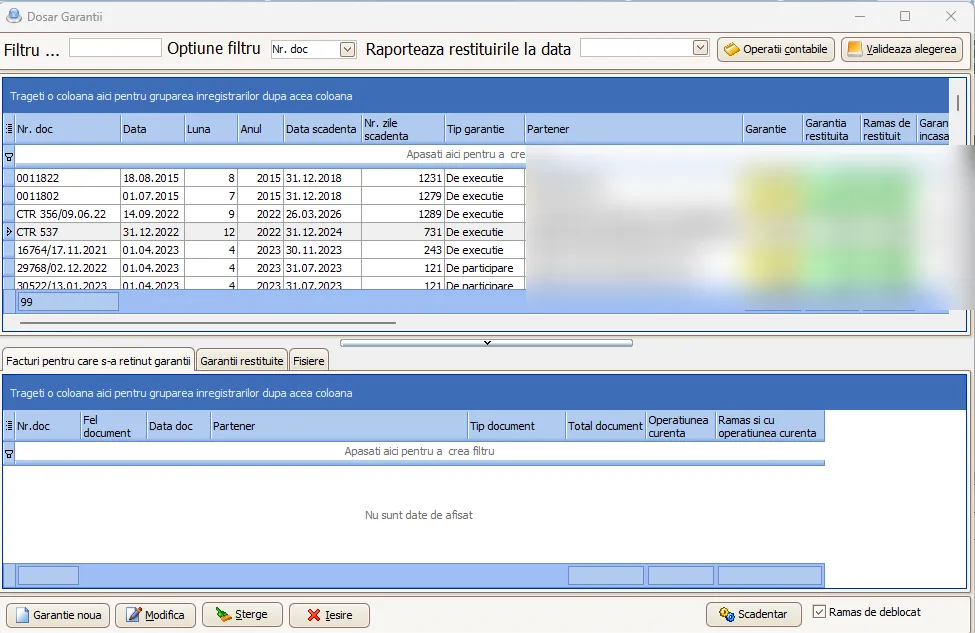
Section titled “Contractual guarantees”For sales contracts, Smartis allows recording, monitoring and managing all guarantees granted to customers. The system stores detailed information about the guarantee type, validity period, covered products or services, application terms and associated documents.
- Email alerts for guarantees about to expire.
- Tracking of the interventions performed during the warranty period.
- Complete records and traceability per customer and product.
- Integration with the Sales module — guarantees are linked automatically to the matching invoices and deliveries.
Credit lines and leasing
Section titled “Credit lines and leasing”The module manages credit lines and leasing contracts, recording all relevant details: the financing institution, approved amount, term, interest, repayment schedule, the guarantees provided and the associated documents.
- Monitoring of current balances, due installments and payments made.
- Alerts for payment deadlines.
- Reports on the utilization rate of credit lines.
Cash and bank registers
Section titled “Cash and bank registers”Smartis automatically generates the Cash Register and Bank Register based on all financial operations recorded in the system.
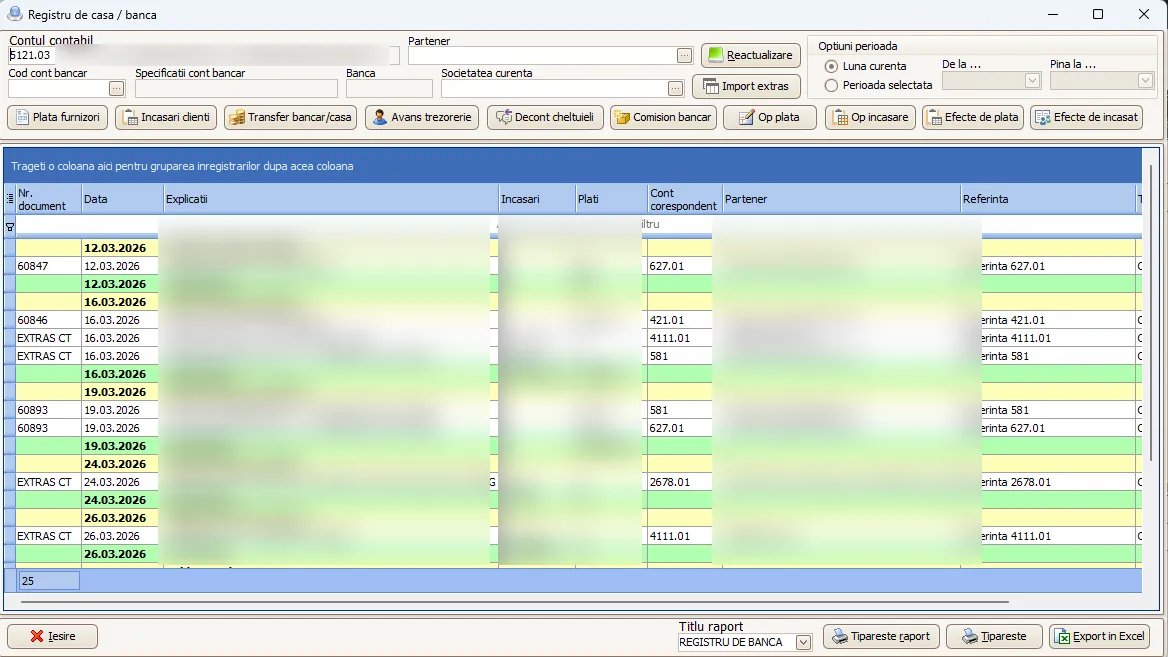
- The Cash Register lists chronologically all cash receipts and payments, with daily balances, FX differences (where applicable) and the supporting documents (receipts, payment/collection vouchers).
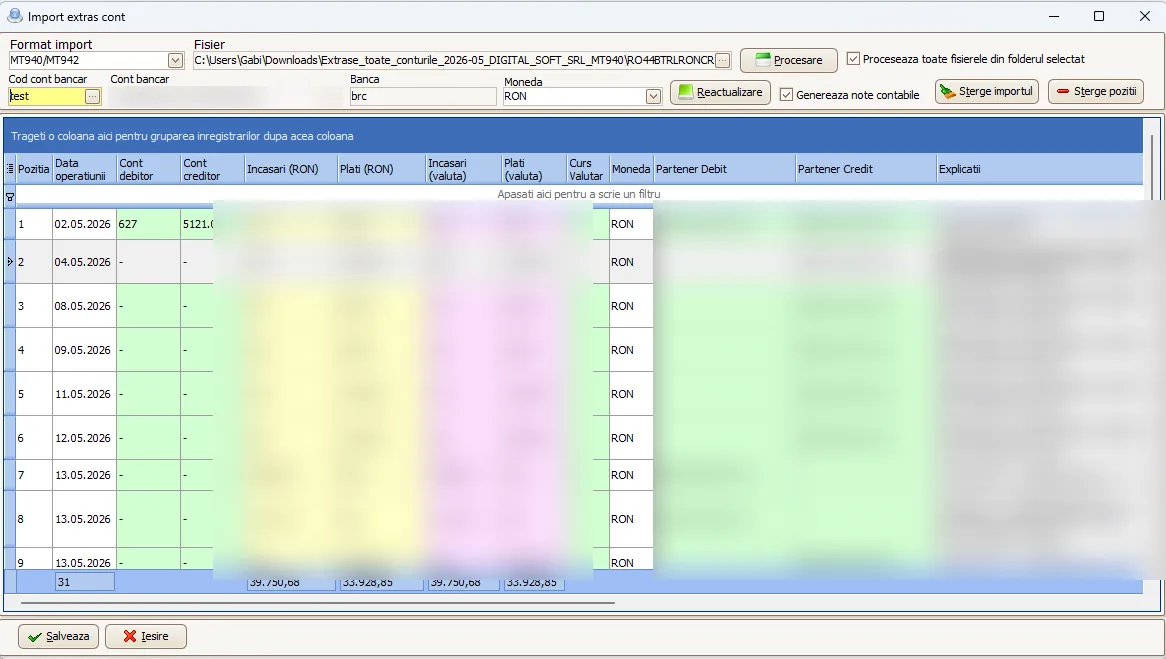
- The Bank Register centralizes all operations from the bank accounts — payment orders, incoming transfers, fees, currency exchanges — matched automatically to the accounting documents and the imported bank statements. Statements can be imported in MT940, .xlsx and JSON formats.
- Both registers comply with the legal format and requirements and can be exported to PDF, Excel or other formats accepted by control authorities.
Typical flow
Section titled “Typical flow”Collections (sales): generate sales invoice → due-date schedule → collection order / courier statement → cash/bank operation → statement reconciliation → automatic accounting entry.
Payments (purchasing): purchase invoice → due-date schedule → payment order → payment batch → approval via web.smartis.ro → cash/bank operation → statement reconciliation → automatic accounting entry.
Benefits
Section titled “Benefits”- Centralized management of all payments and collections, with alerts for due dates and overdue items.
- Less operating time through automatic generation and filling.
- Real-time liquidity records and automatic posting to accounting.
See the video tutorials or contact us for help.